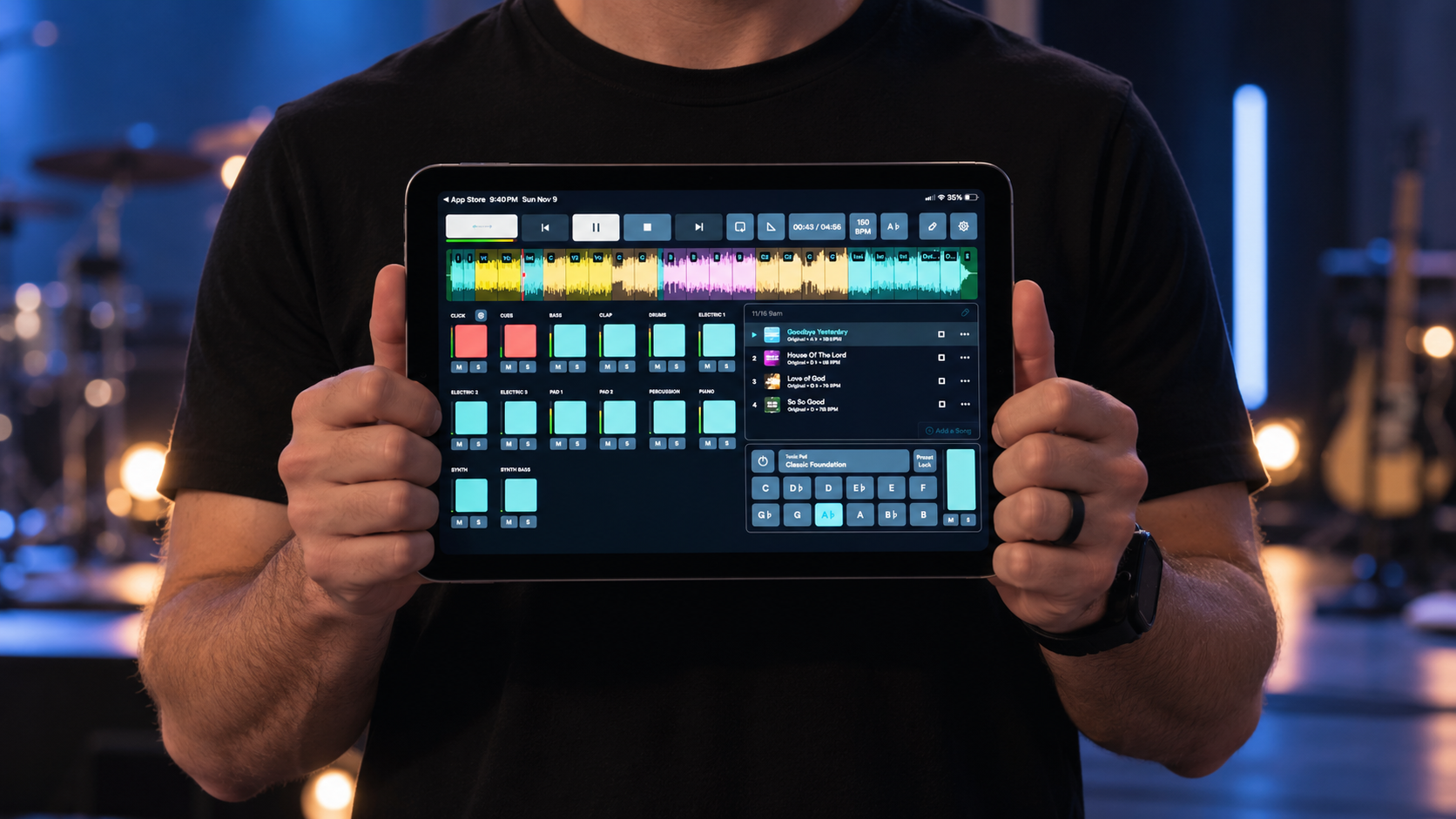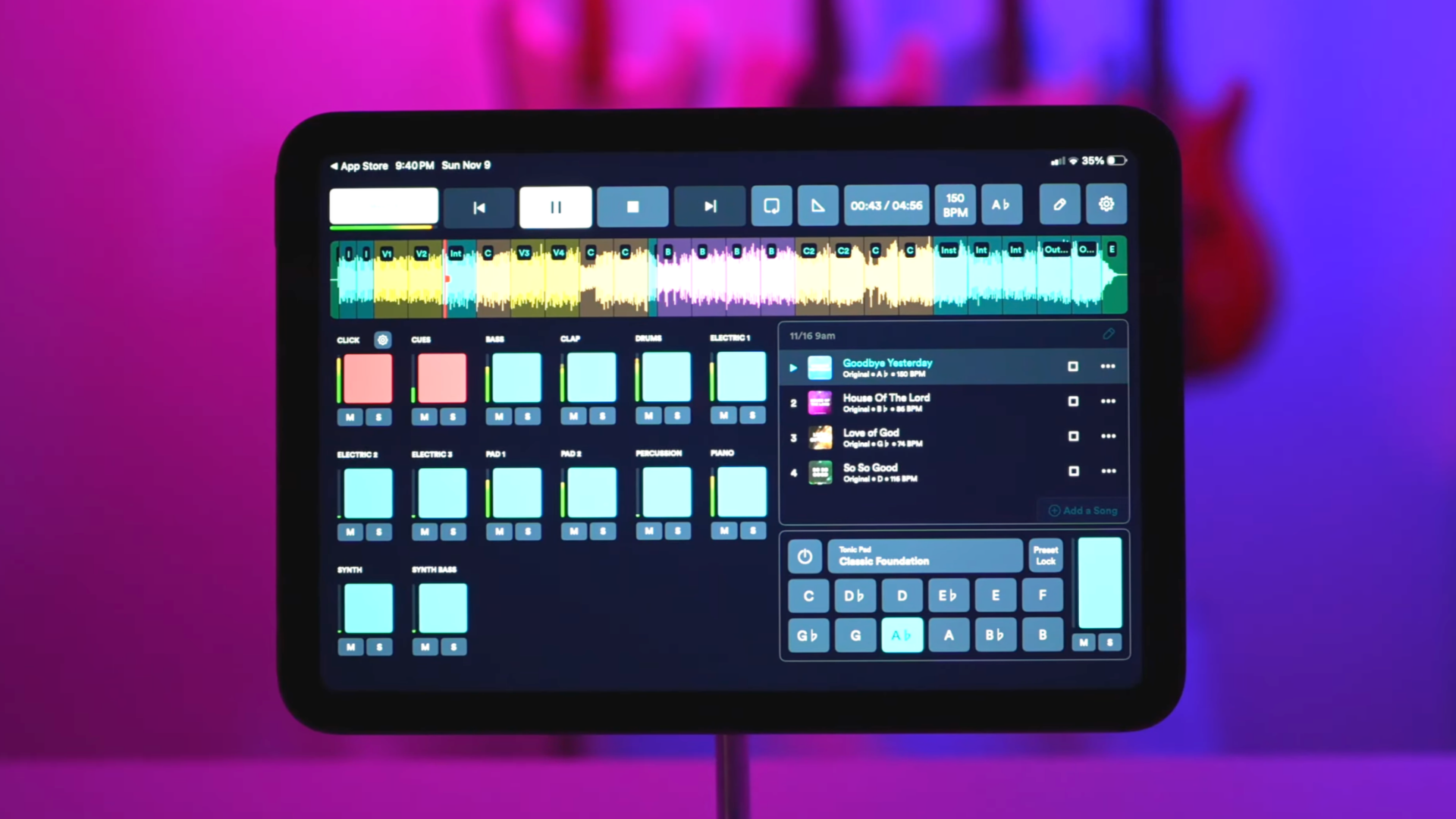
When you first start using worship multitracks, two of the most important parts aren't actually heard by the congregation: the click track and cues.
A click track gives your musicians a steady tempo to follow, while cues provide spoken directions that tell the team where they are in the song.
Together, they help your live musicians stay synchronized with the prerecorded tracks.
And while playing to a click can feel restrictive at first, most worship teams become comfortable with it surprisingly quickly.
What is a click track?
A click track is essentially a metronome that plays along with the song.
If a song is 72 BPM, the click keeps the musicians locked to that tempo throughout the arrangement unless the tempo intentionally changes.
Instead of each musician relying entirely on their own sense of timing, everyone has the same reference point.
Most importantly:
The congregation doesn't hear the click.
It's routed privately to the musicians through headphones or in-ear monitors.
What are cues?
Cues are spoken instructions that play alongside the click track.
Instead of constantly watching a screen or remembering every section of the arrangement, musicians might hear:
"Verse. Two, three, four."
or:
"Chorus. Two, three, four."
Other cues might include:
- Intro
- Verse
- Chorus
- Bridge
- Instrumental
- Outro
These aren't part of the music the congregation hears. They're simply there to tell the worship team what's coming next.
Think of cues as an audible roadmap for the arrangement.
Why do worship teams use cues?
Once you're playing with multitracks, the arrangement has a defined timeline.
Your bass track can't look around the stage and decide, "We're going to sing that chorus one more time."
It's going to keep playing.
That means your live musicians need to know exactly where the track is going.
Cues give everyone that information at the same time. Instead of every musician counting measures or staring at a computer, the team hears what's coming next directly in their monitors.
This can be especially helpful for volunteer worship teams where musicians may not have spent hours rehearsing the arrangement together before Sunday.
Who needs to hear the click and cues?
Ideally everyone, but not necessarily.
At minimum, the person responsible for keeping the band synchronized with the tracks needs to hear the click. That's often the drummer.
Ideally, though, everyone playing with the arrangement can hear it.
When the whole team hears the click and cues, everyone is working from the same tempo and knows what's coming next.
For a smaller church just getting started, you don't necessarily need to build an elaborate personal monitoring system immediately.
The important thing is that the musicians who need the click can hear it clearly without sending it through the main speakers.
Related: [Do You Need In-Ear Monitors for Worship Multitracks?] (coming soon)
How do you keep the congregation from hearing the click?
This is where audio routing comes in.
Your playback device sends different audio to different destinations.
The basic idea is simple:
Music → Main Speakers
Click + Cues → Worship Team
The music stems, bass, guitars, keys, percussion, and other instruments you're using, are sent to the sound system.
The click and spoken cues are sent privately to the musicians' headphones or in-ear monitors.
Your mixer, audio interface, and playback setup determine exactly how that's accomplished.
A basic setup may use only a few outputs, while a more advanced system might send every instrument to its own channel on the soundboard.
Is playing to a click difficult?
At first, it can be.
Musicians who have always played entirely by feel may initially feel like the click is fighting them.
That's normal.
The biggest mistake is trying it for the first time on Sunday morning.
Instead, pick a song your team already knows well and rehearse it with the click. Start with the drummer and one or two musicians if necessary.
Don't worry about using every stem in the multitrack yet. The first goal is simply learning to stay comfortable with the tempo.
Over time, the click stops feeling like something you're chasing and starts feeling like a shared pulse for the band.
Related: [How to Rehearse With Worship Multitracks] Coming Soon
What happens if your band gets off the click?
This is one of the most common concerns when a church starts using multitracks.
Unlike a live musician, a prerecorded track isn't going to notice that your band has fallen behind and wait for you.
It's going to keep playing.
That's why learning to listen to the click and follow the arrangement matters.
But it's also why your setup should have a simple backup plan.
If something goes wrong, being able to quickly stop or mute the tracks and continue playing live can keep a small technical problem from becoming a major distraction.
Your team should know what to do before it happens.
Related: [Common Mistakes Churches Make When Using Worship Multitracks] Coming Soon
Do you need click and cues if you're not using multitracks?
No, but you may still find them useful.
Some worship teams use a click even when every instrument is being played live. It can help keep tempos consistent from rehearsal to rehearsal and prevent songs from gradually speeding up or slowing down.
Cues can also be useful for helping musicians follow arrangements.
But when you're using multitracks, click and cues become especially valuable because they keep your live musicians synchronized with prerecorded parts that can't adjust to the band.
Start with the click
If your team has never played with tracks before, don't worry about building an advanced system immediately.
Start with one song your team already knows.
Let your musicians hear the click.
Get comfortable staying with it.
Then introduce the cues and the multitrack arrangement.
As your team becomes more comfortable, hearing "Chorus. Two, three, four" in their monitors will become just another normal part of playing together.
The goal isn't for your worship team to feel controlled by technology.
The goal is for the technology to become predictable enough that your team can stop thinking about it and focus on leading worship.
About the author
Jon Mihail
Jon is the founder of The Worship Portal and has spent more than a decade serving in worship, creative arts, production, and church communications. He created The Worship Portal to help churches and worship teams simplify the way they prepare, practice, and lead worship through practical resources, tools, and technology.