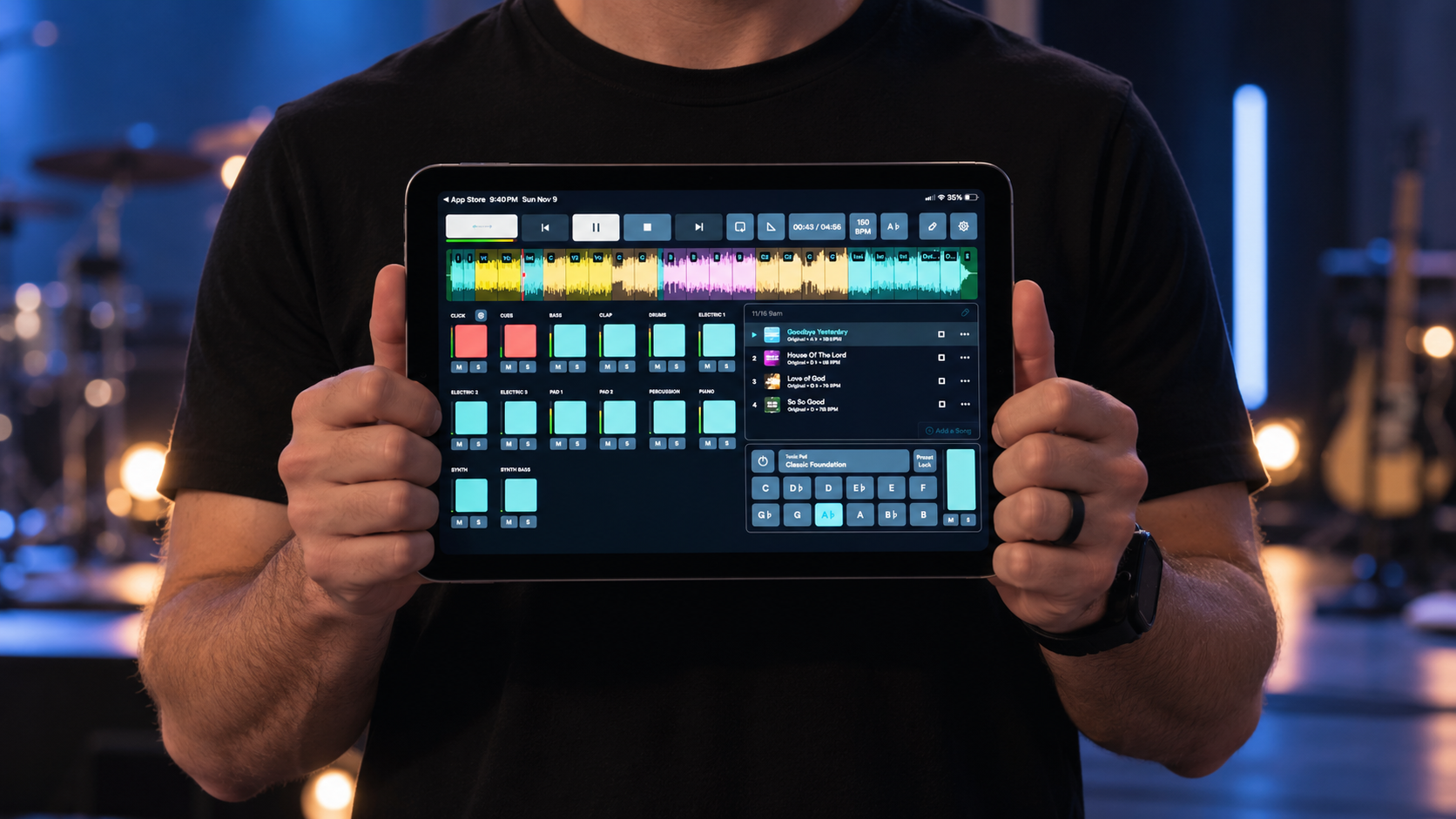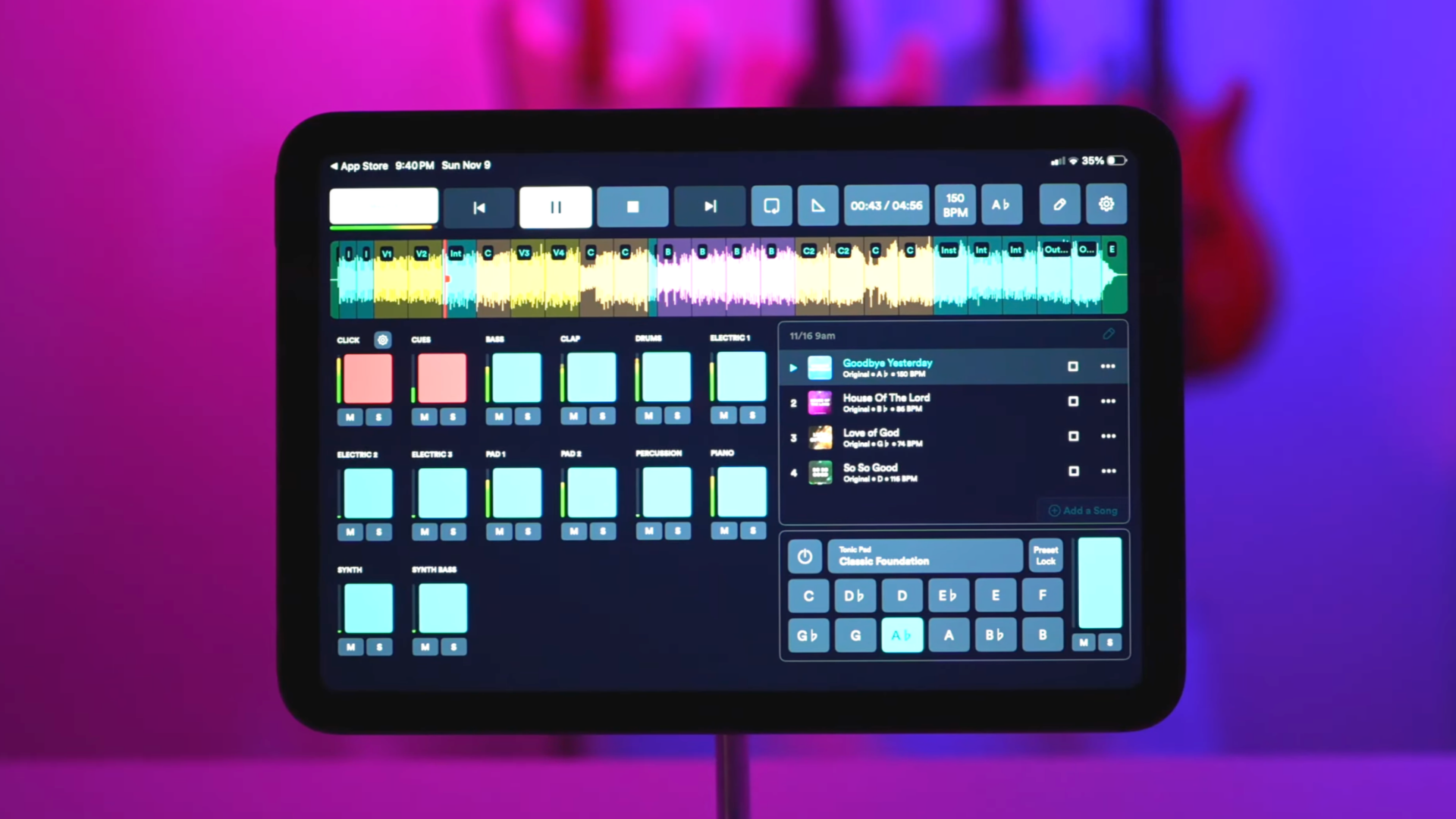
What is a worship multitrack?
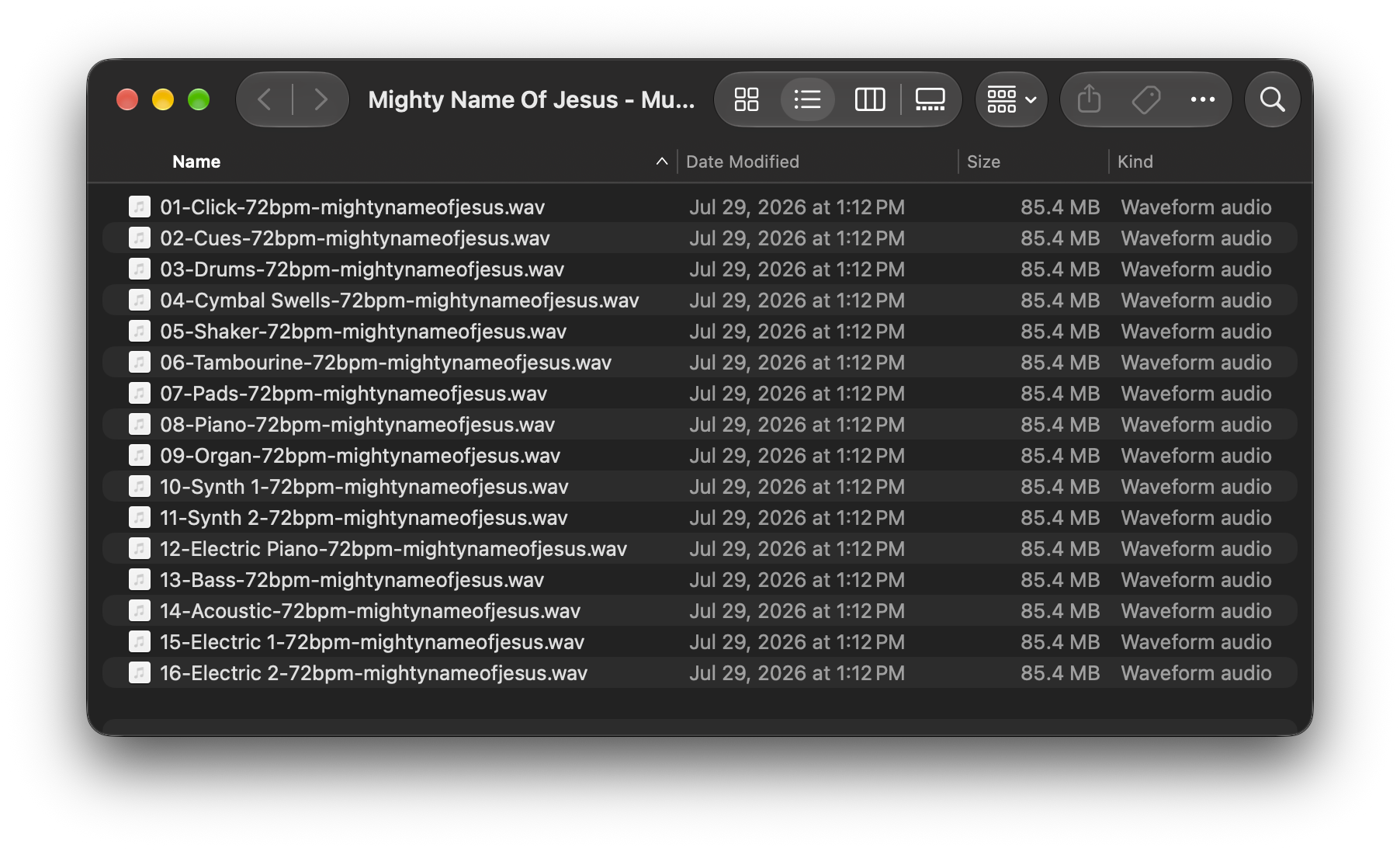
A multitrack is a song separated into its individual recorded parts, often called tracks or stems.
Instead of receiving one finished audio file containing the entire song, you might receive separate files for:
Drums
Bass
Acoustic guitar
Electric guitars
Piano
Keys and synths
Background vocals
Percussion
Click
Cues
Because those parts are separated, your worship team can decide which ones to use.
For example, imagine your church has a worship leader, acoustic guitarist, keyboard player, and drummer, but no bass player or electric guitarist.
Rather than playing a full backing track underneath the band, you could use only the bass and electric guitar tracks. Your live musicians still play their parts while the multitrack fills in what's missing.
That's the biggest advantage of multitracks: control.
How are multitracks different from a backing track?
A traditional backing track is usually a finished stereo audio file. You press play, and all of the instruments contained in that recording play together.
A multitrack gives you the individual parts separately.
That means a backing track might work perfectly for a solo worship leader who needs an entire band behind them, while multitracks might make more sense for a worship team that already has several live musicians.
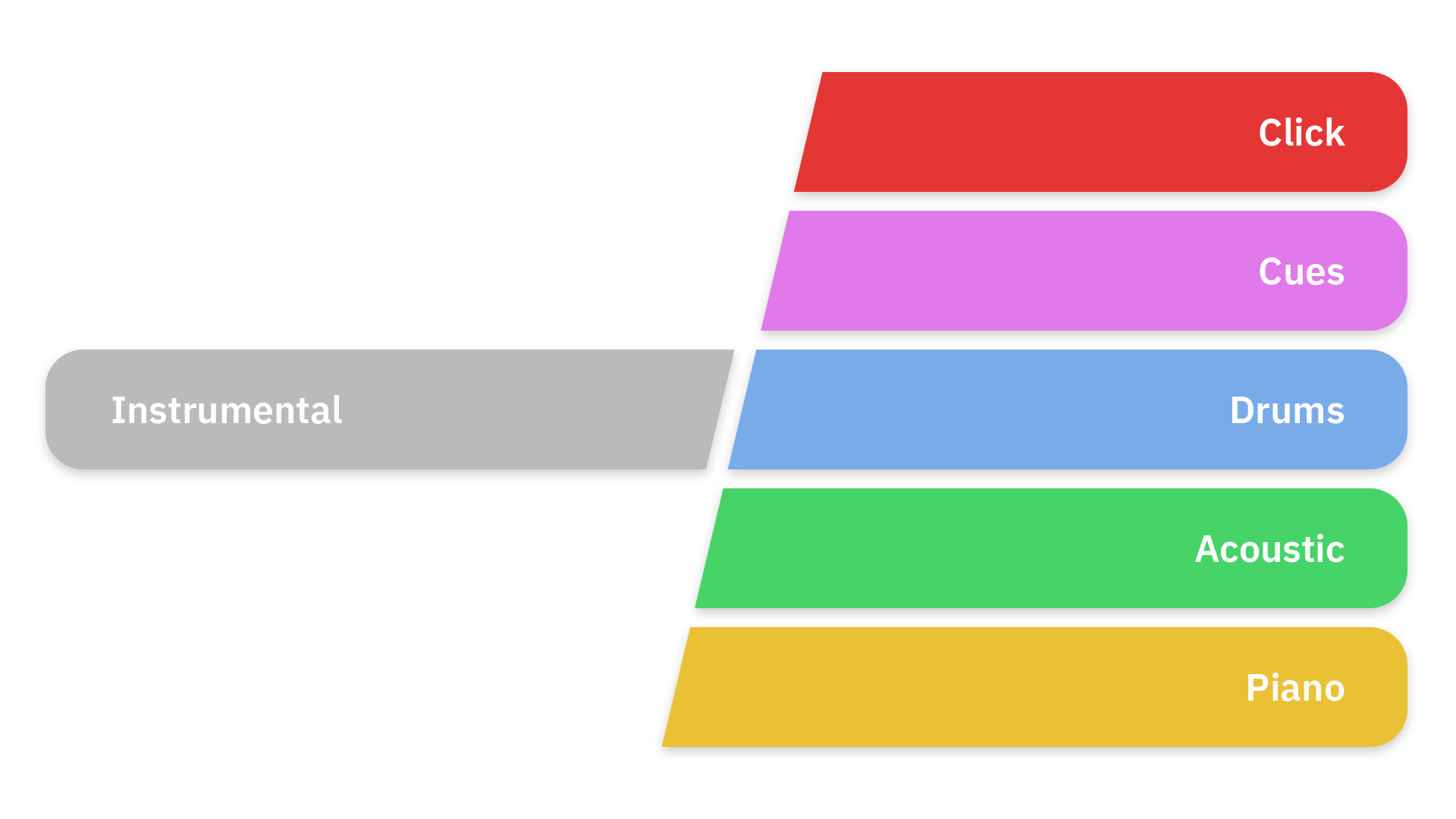
Neither approach is inherently better. They solve different problems.
If your drummer is there this Sunday, you can turn off the drum track.
If your bass player is away, you can turn on bass.
If your team grows over time, you can use fewer tracks.
Multitracks allow the tracks to adapt to your team instead of forcing your team to adapt to the recording.
What are click tracks and cues?
Two terms you'll hear frequently when talking about worship multitracks are click and cues.
A click track is essentially a metronome that keeps the musicians and tracks synchronized.
Because recorded tracks don't adjust their tempo to your drummer, your musicians need to stay aligned with the recording. The click provides that consistent tempo.
Cues are spoken directions that help the team know where they are in the song.
You might hear:
“Verse. Two. Three. Four.”
or:
“Chorus. Two. Three. Four.”
The congregation doesn't hear these. They're typically sent only to the worship team's headphones or in-ear monitors.
The tracks themselves are sent to the main sound system.
What does a church need to use multitracks?
This can range from very simple to very sophisticated.
At the most basic level, you need:
A device to play the tracks.
This could be a computer, tablet, or other playback device.
Software capable of playing the multitrack files.
There are dedicated worship playback apps as well as programs such as Ableton Live and other DAWs.
A way for your musicians to hear the click.
Because the congregation shouldn't hear the metronome or spoken cues, these normally need to be routed separately from the tracks going to the main speakers.
More advanced setups may use an audio interface with multiple outputs, allowing individual instruments or groups of instruments to be sent separately to the soundboard.
But you don't necessarily need an elaborate setup to begin using tracks.
For many smaller churches, starting simple is better.
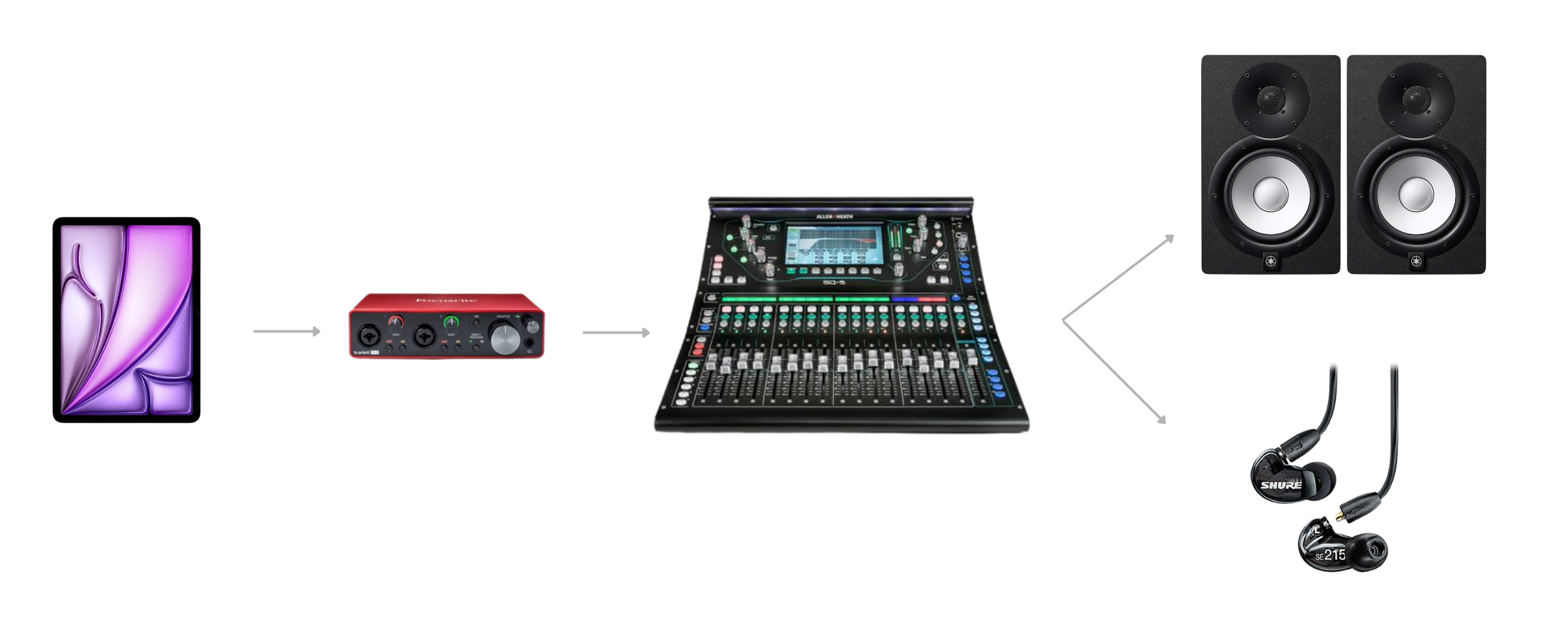
Do you need in-ear monitors to use multitracks?
Not necessarily, but someone needs to hear the click.
The most important person is usually the drummer or whoever is responsible for keeping time.
In a more developed setup, the entire worship team may hear click and cues through in-ear monitors. This makes it much easier for everyone to stay together and anticipate transitions.
If your church doesn't currently use in-ears, that doesn't automatically mean multitracks aren't an option. It just means you'll need to think carefully about how the click reaches the musicians without reaching the congregation.
Are multitracks only for large churches?
Definitely not.
In fact, small churches can be some of the biggest beneficiaries of multitracks.
A large church may already have enough musicians to fill every position each week. A smaller church might have a guitarist and vocalist one Sunday, add a drummer the next, and suddenly be missing the keyboard player the week after that.
Multitracks can help fill those gaps.
They're particularly useful for:
Small worship teams
Churches with rotating musicians
Solo worship leaders
Church plants
Teams without certain instrumentalists
Churches trying to create a more consistent sound from week to week
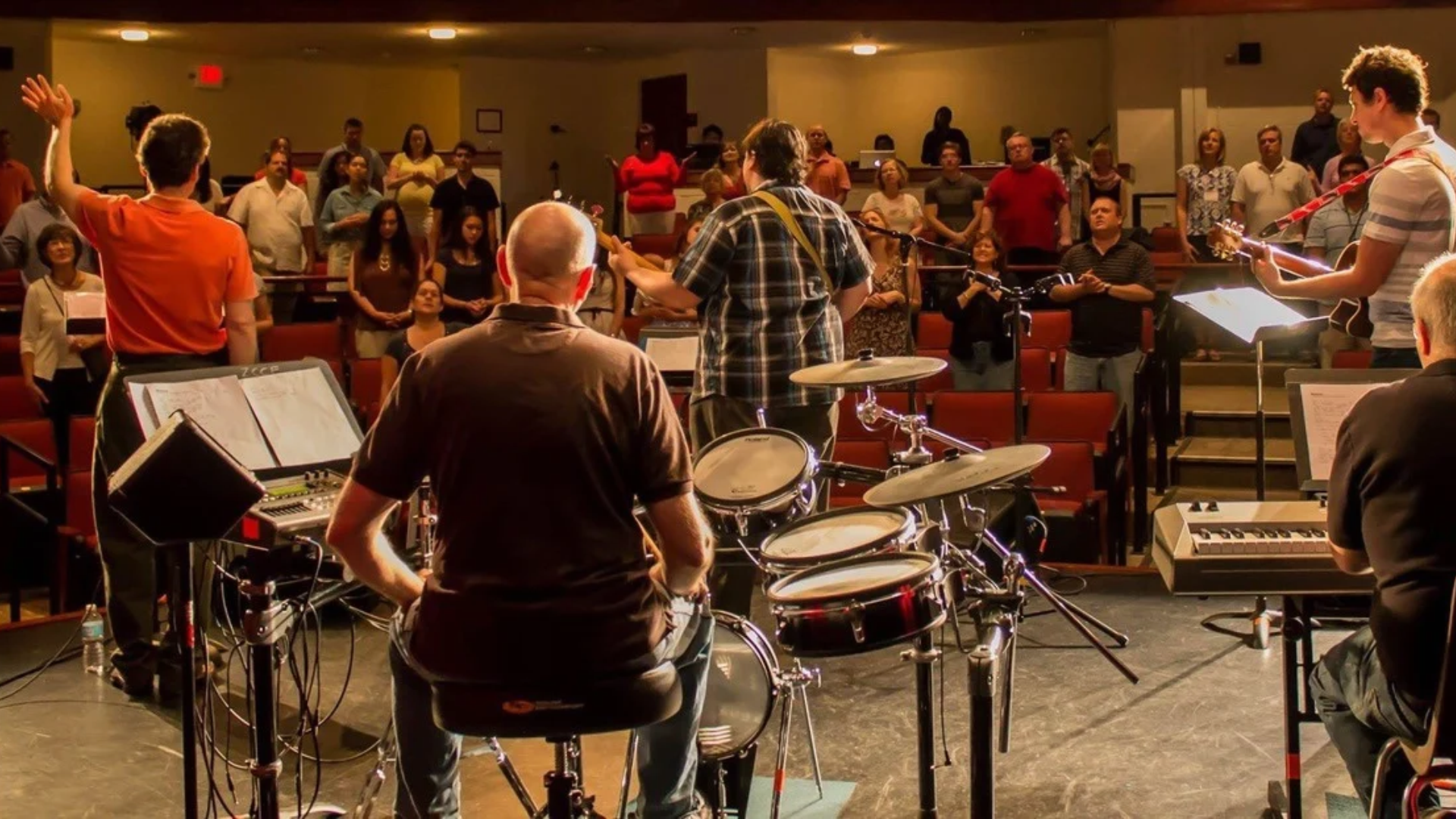
The goal doesn't have to be making a small church sound like a huge production.
Sometimes it's simply about supporting the musicians you already have.
Can you change the key of worship multitracks?
Usually, yes, although exactly how you do it depends on the files and playback software you're using.
This is especially important in worship music because the original recording isn't always in the best key for your worship leader or congregation.
Many playback tools allow tracks to be transposed while maintaining the original tempo.
However, significant pitch changes can sometimes introduce audible artifacts, so it's worth listening carefully before Sunday morning.
Where can you get worship multitracks?
There are several services that provide multitracks specifically for worship teams, and they differ in catalog, pricing, licensing, playback tools, and how the files are delivered.
The Worship Portal offers downloadable worship multitracks alongside instrumentals and lyric videos. Multitracks are available for individual songs, while The Worship Portal Pro provides access to the broader song library.
The right source for your church depends on what songs you need, how you prefer to run tracks, and whether you'd rather purchase individual songs or use a membership.
We'll cover those differences in more detail in Where Can I Download Worship Multitracks?
Multitracks vs. playing everything live
Using multitracks doesn't mean replacing your worship team.
A helpful way to think about them is as another musician on the team.
If you have someone available to play a part live, let them play it.
If you don't, a track can fill the gap.
You might have a real drummer, bassist, acoustic guitarist, and vocalist while using tracks only for pads, additional guitars, synths, and percussion.
Another church might have only a worship leader and use nearly the entire arrangement.
Both can work.
The technology should support the people leading worship—not become the focus of it.
Should your church use multitracks?
Multitracks may be worth considering if your worship team regularly struggles with missing musicians or if you'd like more flexibility in how you build arrangements.
They're especially useful if you find yourself saying things like:
“We can't do that song without a drummer.”
“Our bass player isn't here this week.”
“There are sounds in this arrangement we can't reproduce.”
“I'd love to lead this song, but I'm the only musician available.”
Tracks won't solve every challenge a worship team faces, and there's nothing wrong with simply rearranging a song for the musicians you have.
But they give you another option.
And for a small worship team, sometimes having that option can make a big difference.

About the author
Jon Mihail
Jon is the founder of The Worship Portal and has spent more than a decade serving in worship, creative arts, production, and church communications. He created The Worship Portal to help churches and worship teams simplify the way they prepare, practice, and lead worship through practical resources, tools, and technology.