Using worship multitracks doesn't require a large worship team, an expensive sound system, or a dedicated production staff.
In fact, multitracks can be especially useful for smaller churches, where the musicians available may change from week to week. If you have a drummer, keyboard player, and worship leader—but no bass player or electric guitarist—a multitrack can fill those missing parts while your live musicians continue leading.
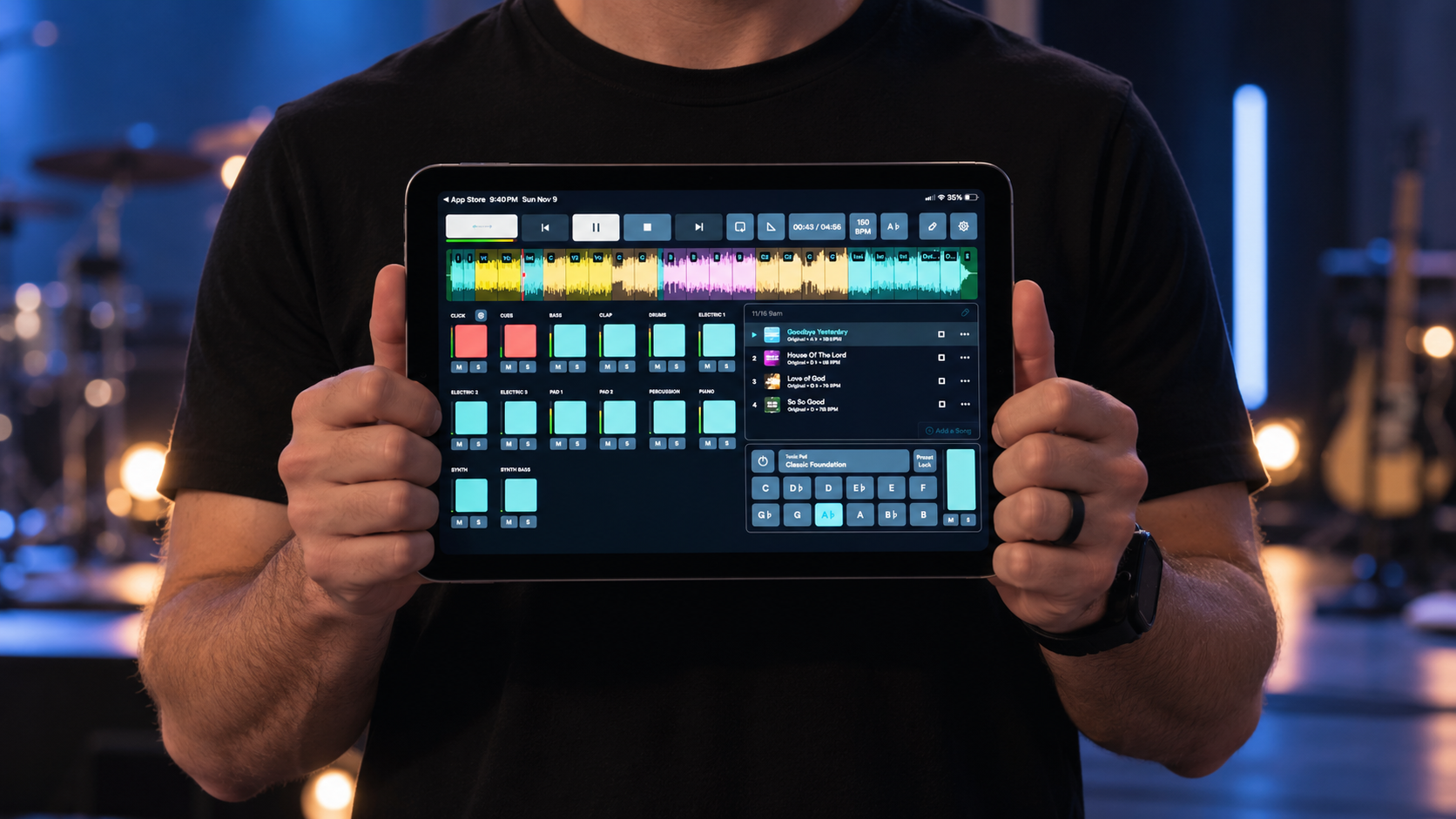
At its simplest, using multitracks involves playing prerecorded instrument parts from a computer or mobile device, sending those tracks to your sound system, and giving your musicians a click track and cues to help everyone stay together.
You can start much simpler than you might think.
New to multitracks? Read this:
What do you need to use worship multitracks?
A basic setup usually includes:
A computer, tablet, or phone
Multitrack playback software
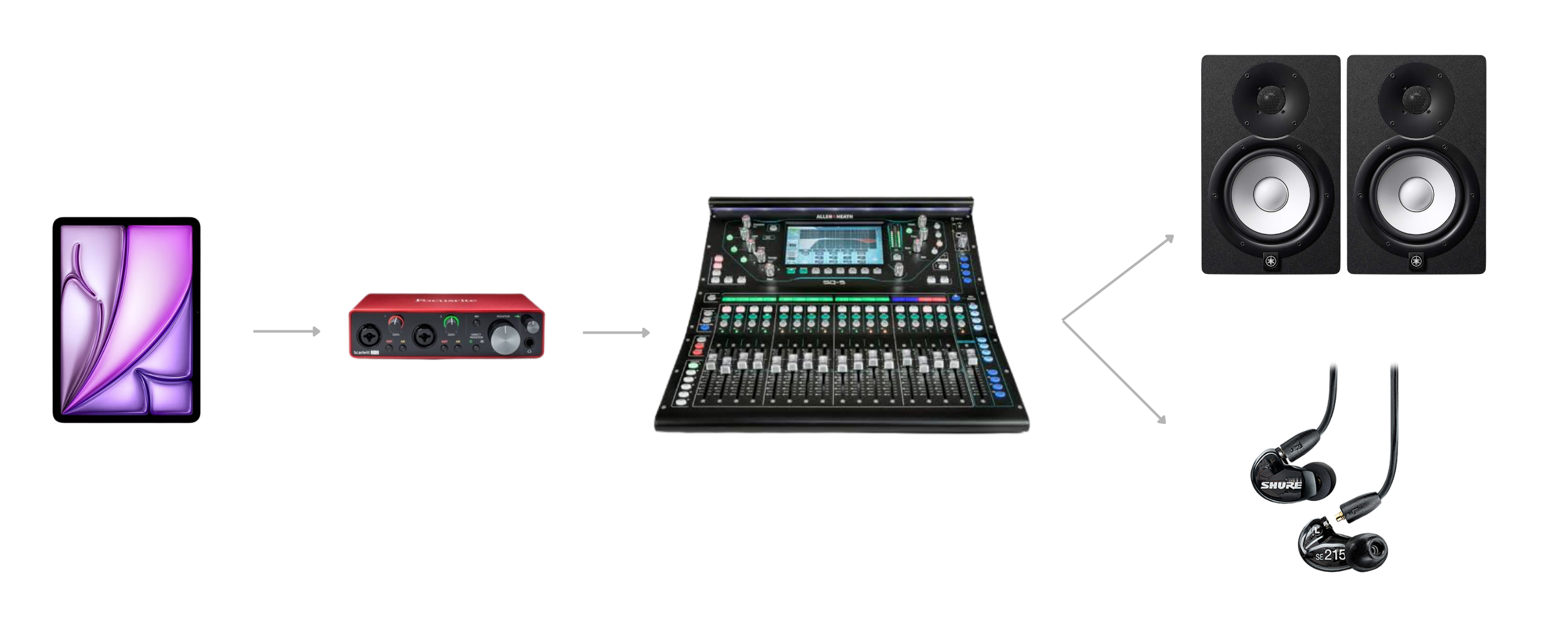
An audio interface or another way to connect to your sound system
Your church's existing mixer and speakers
Headphones or in-ear monitors for musicians who need to hear the click and cues
Larger churches may use multiple audio outputs, redundant computers, MIDI automation, and other advanced tools.
You don't need any of that to get started.
For a small church, the goal should be a setup that your worship team and sound volunteers understand and can operate reliably.
Step 1: Download the multitrack
A multitrack contains separate audio files for the different parts of a song.
That might include drums, bass, acoustic guitar, electric guitars, piano, synths, percussion, click, and cues.
The advantage is that you choose which parts you actually need.
If your church has a drummer, acoustic guitarist, and keyboard player but no bassist or electric guitarist that week, you can simply use the bass and electric guitar stems.
You don't have to play the entire recorded arrangement underneath your band.
Step 2: Choose how you'll play the tracks
You'll need software capable of playing the stems together and keeping them synchronized.
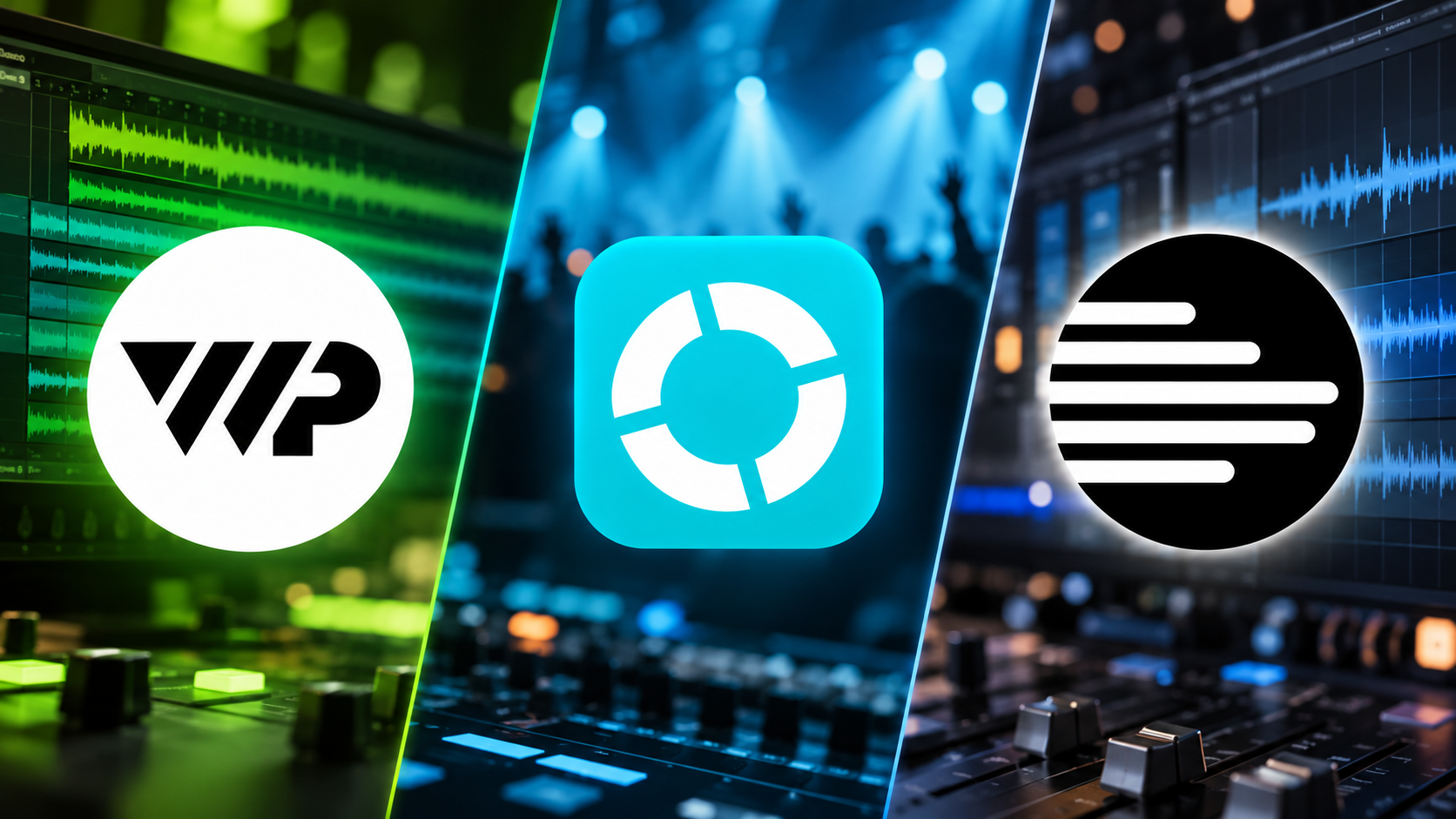
Some churches use dedicated worship playback software. Others use a digital audio workstation (DAW) like Ableton Live, while some multitrack providers offer their own playback systems (LoopCommunity's Prime & Multitracks.com Playback apps).
For a small church, ease of use and reliability matter more than having every possible feature.
Ask yourself:
Could another person on our worship team learn how to run this?
If the entire system depends on one technically minded volunteer being there every Sunday, it's probably more complicated than it needs to be.
Step 3: Connect the tracks to your sound system
Your computer or tablet needs a way to send audio to your church's mixer. This is commonly done through an audio interface.
More advanced systems can send every instrument to a separate channel on the soundboard, but you don't necessarily need to start there.
A simpler setup with just a few outputs may be enough.
The main thing you need to accomplish is this:
The congregation hears the music.
The musicians hear the music + click and cues.
We'll cover the different ways to accomplish that in a dedicated guide.
Step 4: Choose which instruments you actually need
This is especially important for smaller worship teams.
Don't use a track simply because it's available.
If you have a drummer, let your drummer play.
If you have a keyboard player, let your keyboard player play.
Instead, use the multitrack to fill the gaps.
For example:
PLAYED LIVE
Drums
Acoustic Guitar
Piano
FROM THE MULTITRACK
Bass
Electric Guitar
Synth
Percussion
Together, those become one worship mix.
Use multitracks to support the musicians you have—not to replace the people you could be developing.
Step 5: Give your musicians the click and cues
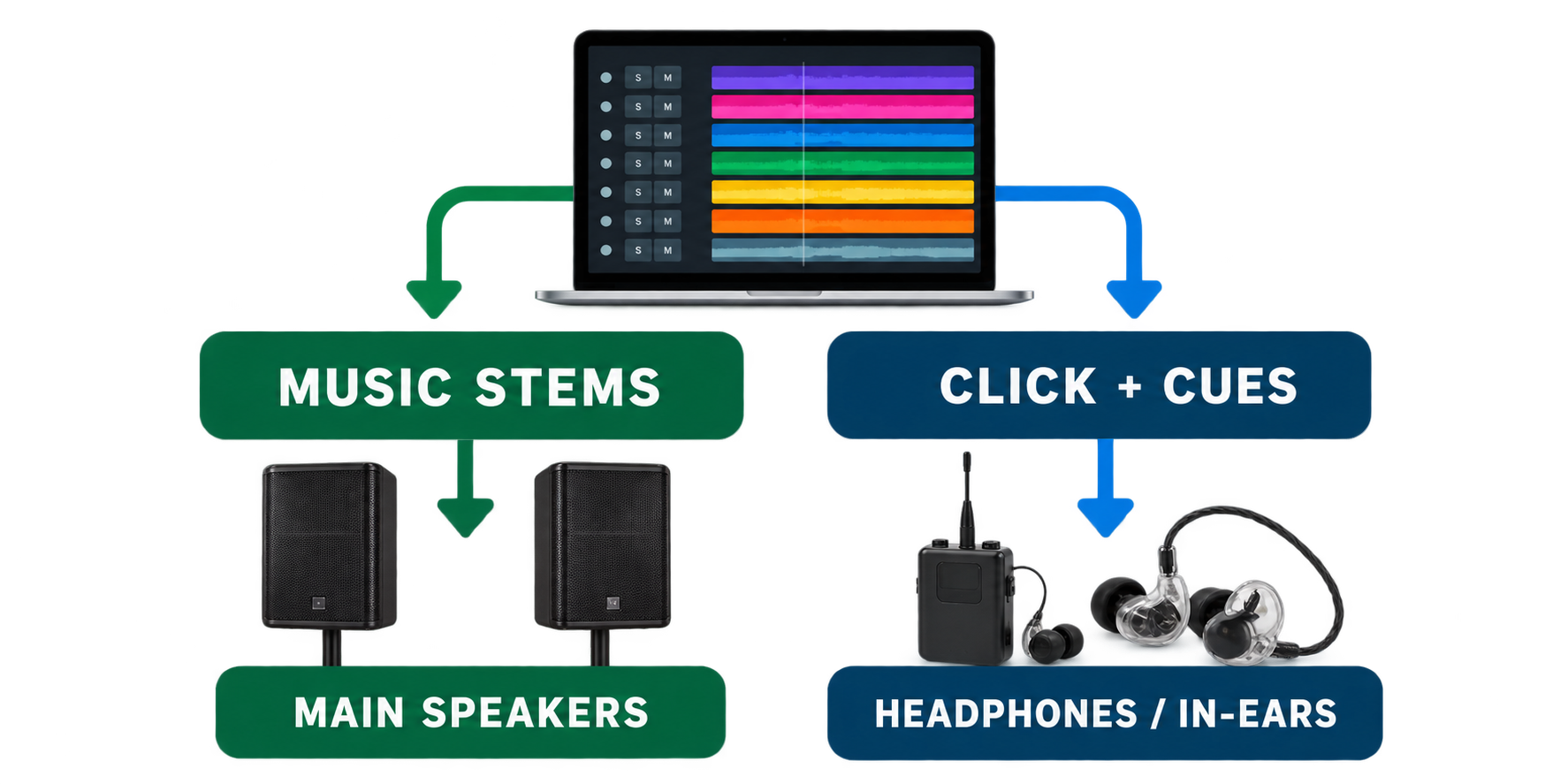
The click track keeps your musicians locked to the tempo.
Cues are spoken instructions such as:
“Verse.”
“Chorus.”
“Bridge. Two, three, four.”
Your musicians need to hear these, but your congregation shouldn't.
That's why click and cues are normally sent to headphones or in-ear monitors rather than the main speakers.
You don't necessarily need an expensive in-ear monitoring system to start, but you do need a way for the musicians to hear the click privately.
Related: [How Do Click Tracks and Cues Work?] (future article)
Related: [Do You Need In-Ear Monitors for Worship Multitracks?] (future article)
Step 6: Rehearse before you use tracks on Sunday
Playing with tracks feels different from playing completely live because the multitrack follows an arrangement.
Your team needs to become comfortable following the click, listening to cues, and knowing where the song is going.
Don't make Sunday morning the first time everyone tries it.
Start with one song your team already knows well and practice it with the tracks during rehearsal.
Once that feels natural, add another.
Related: [How to Rehearse With Worship Multitracks] (future article)
Can a small church use worship multitracks?
Absolutely.
In fact, smaller churches are often where tracks can be particularly useful because the available musicians may change from week to week.
One Sunday you might have a drummer but no bass player. The next week your electric guitarist may be away. Some weeks you may only have a worship leader and one or two additional musicians.
Multitracks let you fill those gaps without requiring your church to recreate a full recorded arrangement live.
And if you only need two tracks from an arrangement, use two.
The goal isn't to make a small church sound like a megachurch.
It's to support the musicians you have and give them a consistent foundation to lead from.
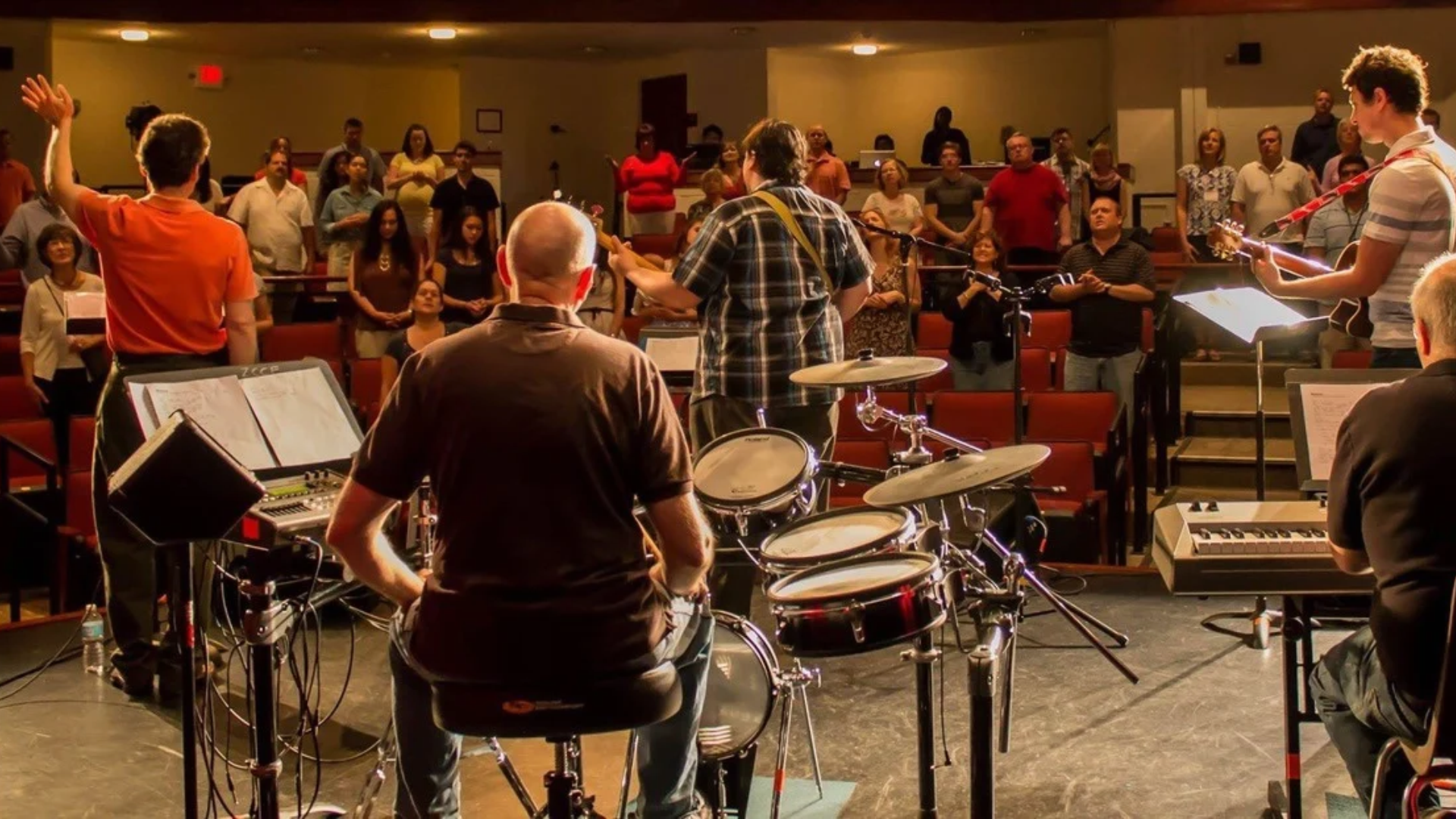
Start with one song
Your first multitrack setup doesn't need to be complicated.
Choose one song your team already knows.
Download the multitrack.
Use only the stems you're missing.
Make sure the congregation hears the music and your musicians can hear the click and cues.
Then rehearse until everyone feels comfortable.
That's enough to start.
As your team becomes more comfortable, you can explore better monitoring, additional outputs, more advanced routing, automation, and other tools if they actually solve a problem for your church.
And before building a complicated system, it's worth knowing some of the traps churches commonly run into.
Next: [Common Mistakes Churches Make When Using Worship Multitracks] (future article)
The best multitrack setup isn't necessarily the most sophisticated one.
It's the one your worship team can use confidently every Sunday.

About the author
Jon Mihail
Jon is the founder of The Worship Portal and has spent more than a decade serving in worship, creative arts, production, and church communications. He created The Worship Portal to help churches and worship teams simplify the way they prepare, practice, and lead worship through practical resources, tools, and technology.