What Do You Need to Run Worship Multitracks?
Running worship multitracks can look complicated when you see professional playback rigs with multiple computers, audio interfaces, MIDI controllers, and racks full of equipment.
But most churches don't need any of that to get started.
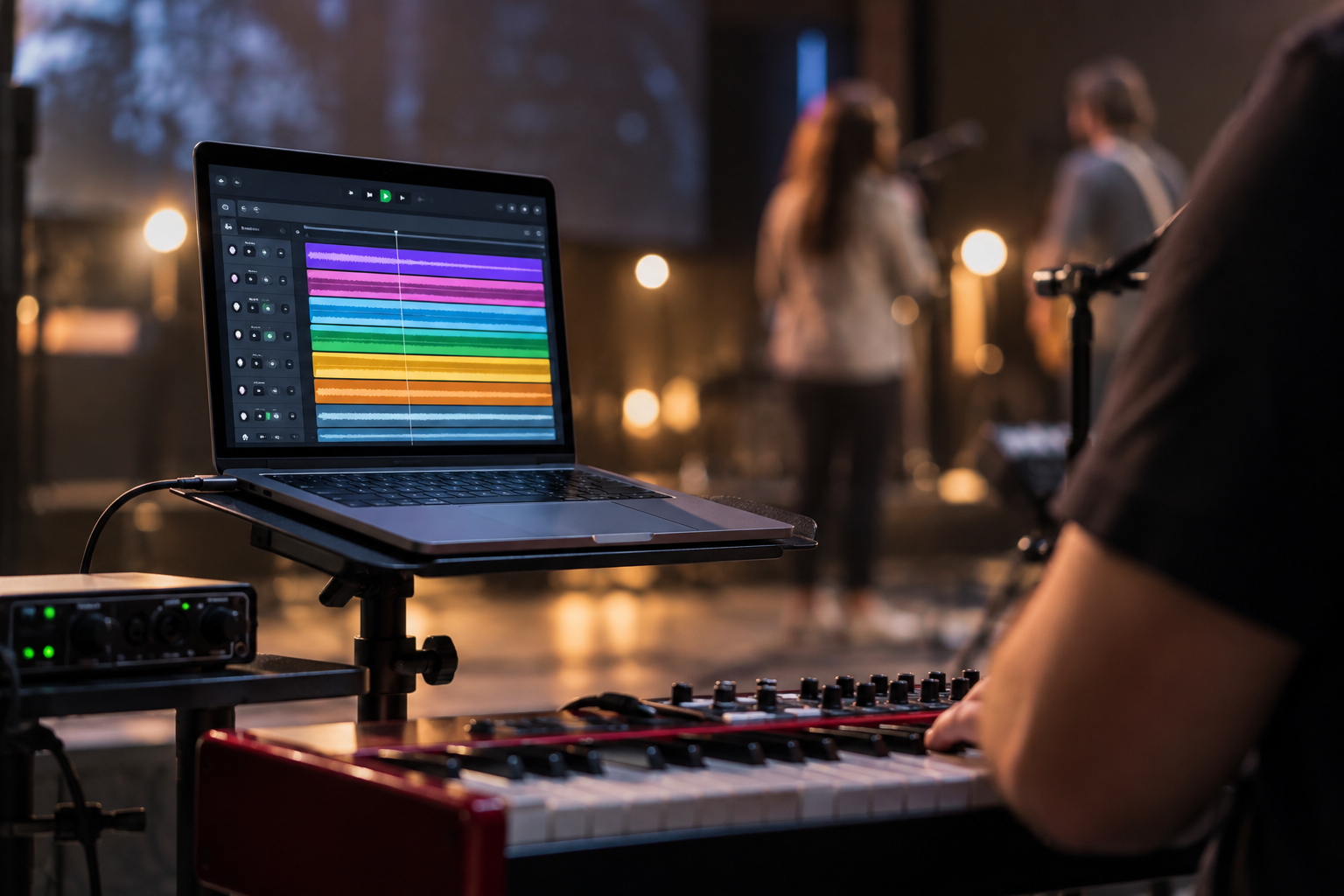
At its simplest, a worship multitrack setup needs a device to play the tracks, playback software, a way to send audio to your sound system, and a way for your worship team to hear the click track.
A basic setup might look like this:
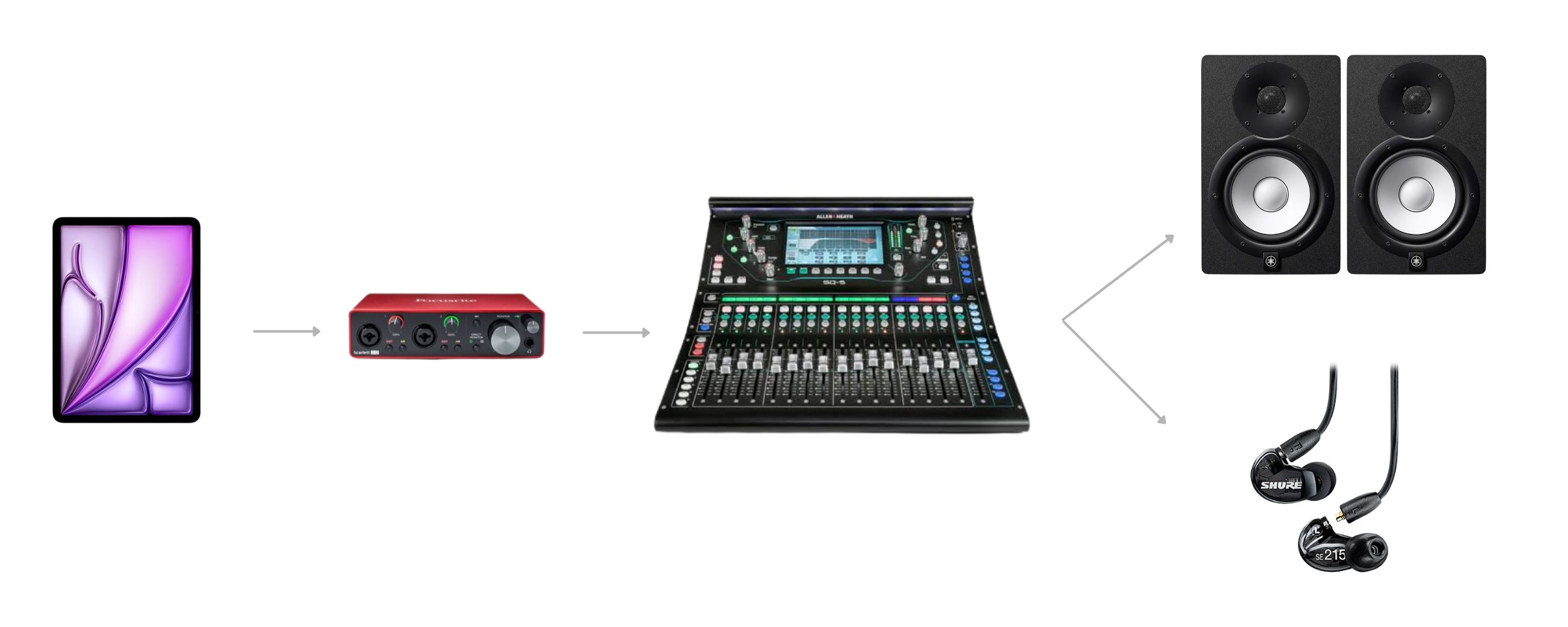
Laptop or tablet → Playback software → Audio interface → Soundboard
Your music tracks are sent to the main speakers, while the click and cues are sent separately to your worship team's headphones or in-ear monitors.
The exact equipment you need depends on how much control you want over the individual instruments.
The 5 things you need to run worship multitracks
For most churches, a multitrack setup consists of five basic pieces:
A computer or tablet
Multitrack playback software
An audio interface
A soundboard or mixer
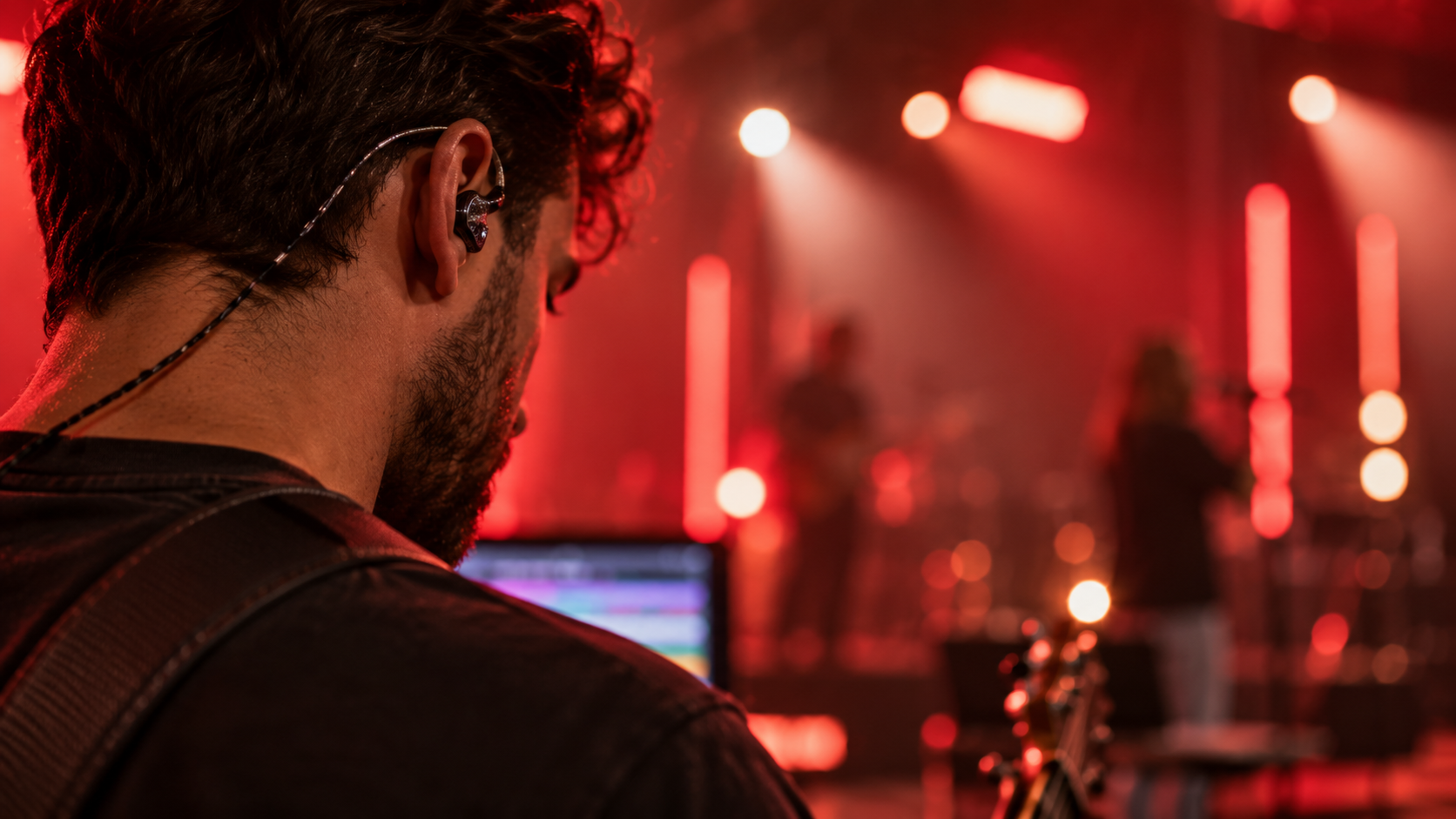
Headphones or in-ear monitors
You may also need cables and DI boxes depending on your sound system.
Let's look at what each piece actually does.
1. A computer or tablet
First, you need something to play the tracks.
For many churches, that's simply a laptop they already own.
A Mac or Windows computer can run dedicated multitrack software and provides the most flexibility if you eventually want more advanced features like multiple audio outputs, MIDI automation, or more complex arrangements.
Some playback systems also work from an iPad or other mobile device.
You don't necessarily need a dedicated computer when you're getting started. If your church already has a reliable laptop capable of running your playback software, that may be enough.
What matters most?
Reliability.
Your playback device is now part of your live worship setup, so you don't want software updates, notifications, or other applications interrupting playback during a service.
If possible, keep the device plugged into power and close unnecessary applications before rehearsal or service.
2. Multitrack playback software
A multitrack file isn't normally something you simply press play on in a standard music player.
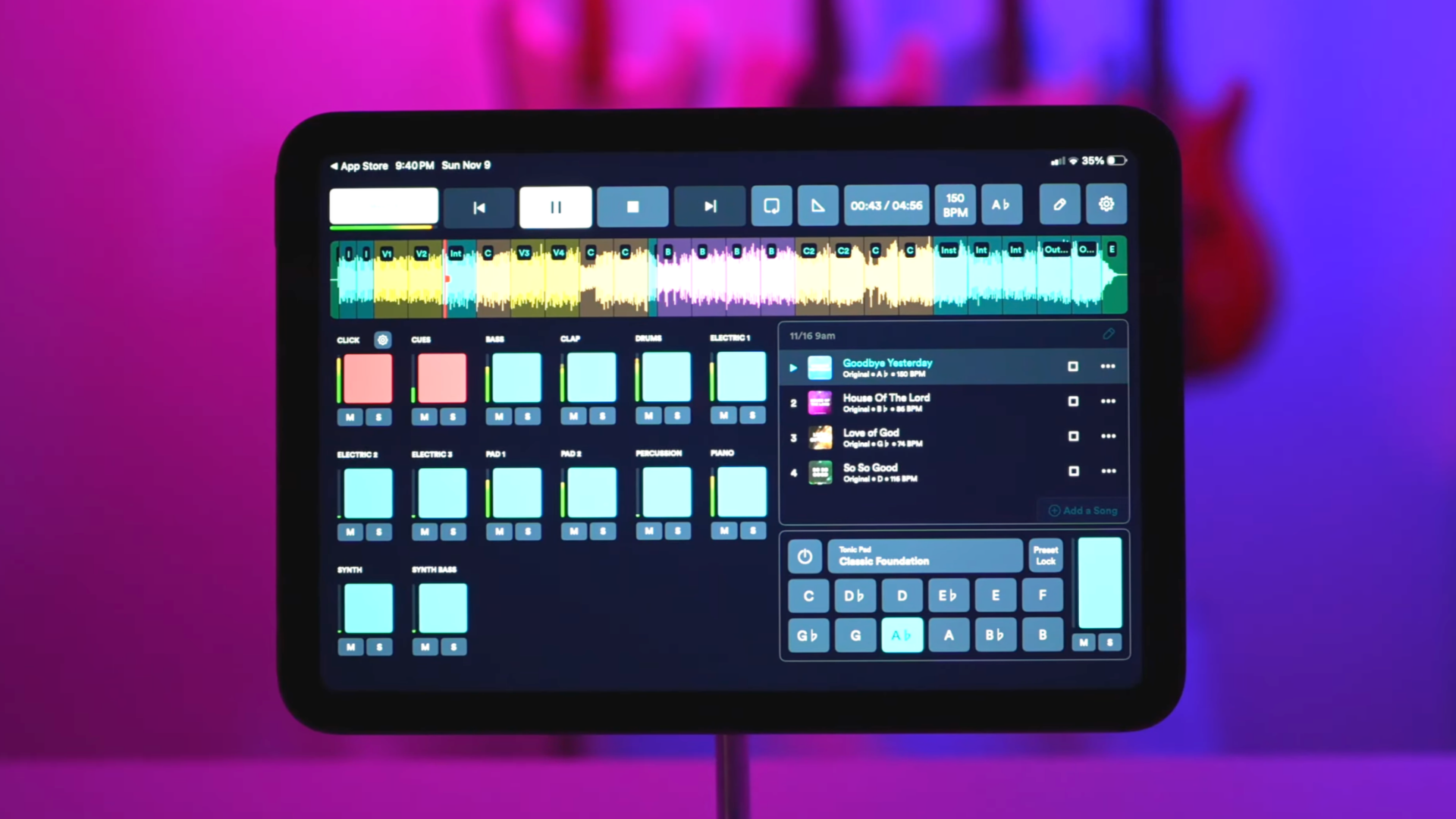
Playback software lets you control the individual parts of the arrangement.
For example, a song might contain:
Drums
Bass
Acoustic guitar
Electric guitars
Piano
Keys
Synth
Percussion
Background vocals
Click
Cues
If your bass player is serving this Sunday, you can mute the recorded bass.
If you don't have a keyboard player, you can leave the keyboard tracks playing.
This is what makes multitracks different from using a regular backing track: you decide which parts of the arrangement your church needs.
Some playback apps also let you change keys, adjust arrangements, loop sections, add markers, or automate other equipment.
You don't need every advanced feature when you're starting. The important thing is being able to play the tracks reliably and control which stems are heard.
The two most popular apps for smaller churches are Multitracks.com Playback and LoopCommunity's Prime apps.
3. An audio interface
This is usually the piece of equipment that causes the most confusion for beginners.
An audio interface takes audio from your computer and gives you physical audio outputs that can be connected to your sound system.
Your laptop already has an audio output, but multitracks become much more useful when different sounds can be sent to different places.
For example:
Outputs 1–2: Music tracks
Output 3: Click and cues
The music goes to the congregation.
The click and cues go only to the worship team.
With a larger audio interface, you could go even further:
Outputs 1–2: Drums
Outputs 3–4: Bass
Outputs 5–6: Guitars
Outputs 7–8: Keys
Output 9: Click
Output 10: Cues
Now your sound engineer can control those instrument groups independently.
But you don't need ten outputs to start using multitracks.
For many churches, separating the music from the click is the most important first step.
How many audio outputs do you need?
This depends on how much control you want.
Simple setup
You could send:
Music → Stereo output
Click + cues → Separate output
This gives your team the basic separation needed to keep the click out of the main speakers.
More flexible setup
You could group instruments together:
Drums
Bass
Guitars
Keys
Other instruments
Click + cues
Your sound engineer can then adjust each group from the soundboard.
Advanced setup
Some churches send nearly every instrument stem to its own channel.
This gives the sound engineer maximum control, but requires more audio outputs, cables, mixer channels, and setup.
For most small churches, more outputs aren't automatically better.
Start with the amount of control you actually need.
4. A soundboard or mixer
Your multitracks eventually need to enter the same sound system your microphones and live instruments use.
That's where your soundboard comes in.
The outputs from your audio interface connect to available inputs on your mixer.
From there, your sound engineer can control the level of the tracks and blend them with the live band.
If you're sending multiple groups from your playback computer, each group can appear on its own mixer channel.
For example:
LIVE
Lead Vocal
Acoustic Guitar
Drums
TRACKS
Bass
Electric Guitars
Keys
Percussion
Your sound engineer mixes everything together just like they would additional musicians on stage.
5. Headphones or in-ear monitors
Your worship team needs to hear something the congregation shouldn't:
the click track.
The click keeps your musicians synchronized with the multitrack.
Most playback systems can also provide spoken cues such as:
Verse
Chorus
Two, three, four
These help musicians know where they are in the arrangement.
Because the congregation shouldn't hear these, click and cues are routed through your church's monitor system rather than the main speakers.
In many churches, that means in-ear monitors (IEMs).
But your monitoring system doesn't have to be complicated.
The important thing is simply that the musicians who need the click can hear it clearly while the congregation cannot.
Important: Never send your click track to the main speakers. Always test your routing before the service.
Do you need in-ear monitors to use multitracks?
Technically, no, but someone needs to hear the click.
For a very simple setup, your drummer might be the only person listening to the click through headphones while the rest of the band follows the drummer.
That can work.
As your setup grows, having more musicians hear the click usually makes it easier for everyone to stay together with the track.
A full wireless in-ear monitoring system can be useful, but it isn't a requirement for experimenting with multitracks for the first time.
This is another place where I would strongly emphasize accessibility.
What about DI boxes and cables?
Depending on your audio interface and sound system, you may need DI boxes or appropriate cables between the interface and your mixer.
A DI box helps connect audio equipment to a professional sound system and can help prevent certain noise and signal problems.
Exactly what you need depends on the outputs on your interface and the inputs available on your mixer.
If you're unsure, your church's sound engineer, or someone familiar with your particular soundboard, can help determine the correct connections.
Three ways to build your worship multitrack setup
START SIMPLE
Laptop or tablet
↓
Playback software
↓
Basic audio output/interface
↓
Soundboard
Click → Drummer's headphones
Best for: Trying multitracks for the first time.
GROWING TEAM
Laptop
↓
Playback software
↓
Multi-output audio interface
↓
Soundboard
Tracks → Several mixer channels
Click + cues → Team's monitors/IEMs
Best for: Churches regularly using tracks with a live band.
ADVANCED
Dedicated playback computer
↓
Playback software + automation
↓
Multi-output interface/playback hardware
↓
Soundboard + individual monitor mixes
Potential additions:
MIDI automation
Lighting automation
Redundant playback
Individual stem outputs
Foot controllers
Best for: Churches that need more control and automation.
Most churches don't need the advanced setup to start using multitracks.
That's important.
How much does a worship multitrack setup cost?
You may already own much of what you need.
If your church has a laptop, digital mixer, and a way for your drummer to use headphones, your initial setup may require very little additional equipment.
Adding a multi-output audio interface and more advanced monitoring increases the cost, while professional playback rigs can become significantly more expensive.
But buying an expensive rig isn't what makes multitracks work well.
A reliable, simple setup that your team understands is better than a complicated setup nobody knows how to troubleshoot.
What setup should a small church start with?
If you're introducing multitracks to a small worship team, don't rebuild your entire sound system around them.
Start with one song your team already knows.
Use the musicians you already have and let the multitrack provide only the parts you're missing.
For example:
PLAY LIVE
Drums
Acoustic Guitar
Piano
USE THE MULTITRACK FOR
Bass
Electric Guitar
Synth
Percussion
Give your drummer, or your entire team, the click, rehearse the exact arrangement you'll use on Sunday, and make sure your routing is correct.
Once everyone is comfortable, you can decide whether adding more outputs, better monitoring, or additional playback equipment would actually help.
Your first multitrack setup doesn't need to be your final multitrack setup.
A simple multitrack setup checklist
Before your first rehearsal, make sure you have:
A reliable laptop or tablet
Multitrack playback software
Your multitrack files
An audio interface or appropriate audio output
Available inputs on your soundboard
A way for at least one musician to hear the click
The correct cables for your setup
Time to test everything before Sunday
And most importantly:
Rehearse with the exact setup you're going to use during the service.
Don't make Sunday morning the first time your team tries it.
Ready to try multitracks with your worship team?
You don't need a massive playback rig to get started.
Choose a song your team already knows, decide which instruments you'll play live, and use the multitrack to fill the gaps.
The Worship Portal provides downloadable worship multitracks with individual instrument stems, giving your team control over which parts you use and which parts you perform live.

About the author
Jon Mihail
Jon is the founder of The Worship Portal and has spent more than a decade serving in worship, creative arts, production, and church communications. He created The Worship Portal to help churches and worship teams simplify the way they prepare, practice, and lead worship through practical resources, tools, and technology.