Planning a worship service involves more than choosing a few songs. There's a setlist to organize, volunteers to schedule, music to prepare, and plenty of details to communicate before Sunday.
Services in My Worship Portal brings all of that together in one place.
Whether you're planning a Sunday morning service, a worship night, or a special church event, you can build your service, coordinate your team, and help everyone arrive prepared.
In this guide, we'll walk through the Services section and its five main tabs: Overview, Plan, Schedule, Practice, and Chat.
Getting Started with Services
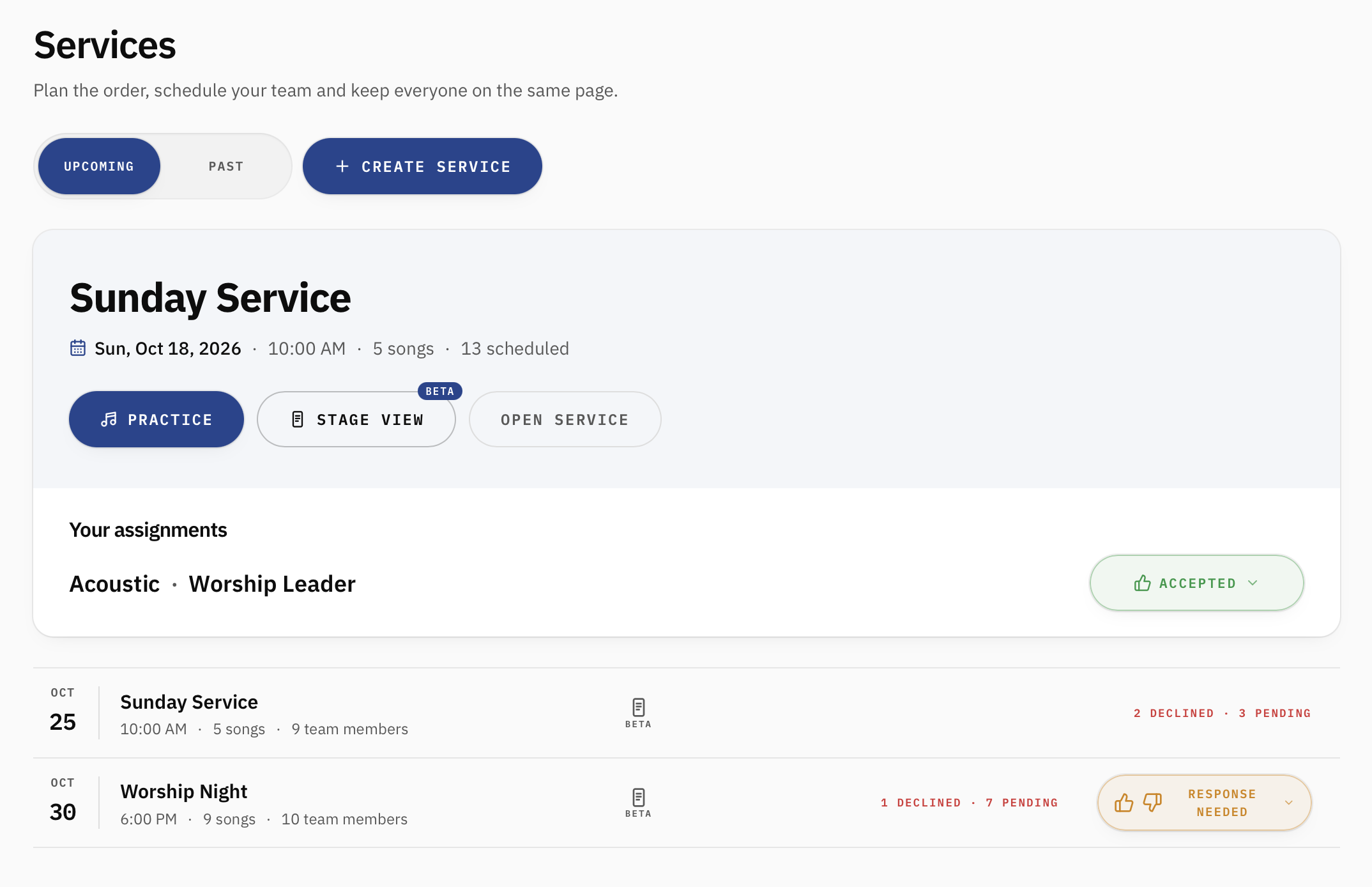
From the My Worship Portal sidebar, select Services to see your upcoming worship services.
Your next service appears at the top of the page, giving you quick access to its date, time, setlist, team assignments, and available actions.
Below that, you'll find a list of additional upcoming services, including the number of songs, scheduled team members, and any assignments that are still pending or have been declined.
You can also switch between Upcoming and Past to find services you've already completed.
Creating a New Service
If you're a church administrator, select Create Service to begin planning a new service.
Once you've created your service, you can start adding songs, organizing the order, and scheduling your worship team.
Team members can also access services they've been assigned to, helping them see what they're responsible for and prepare ahead of time.
1. Overview: See the Entire Service at a Glance
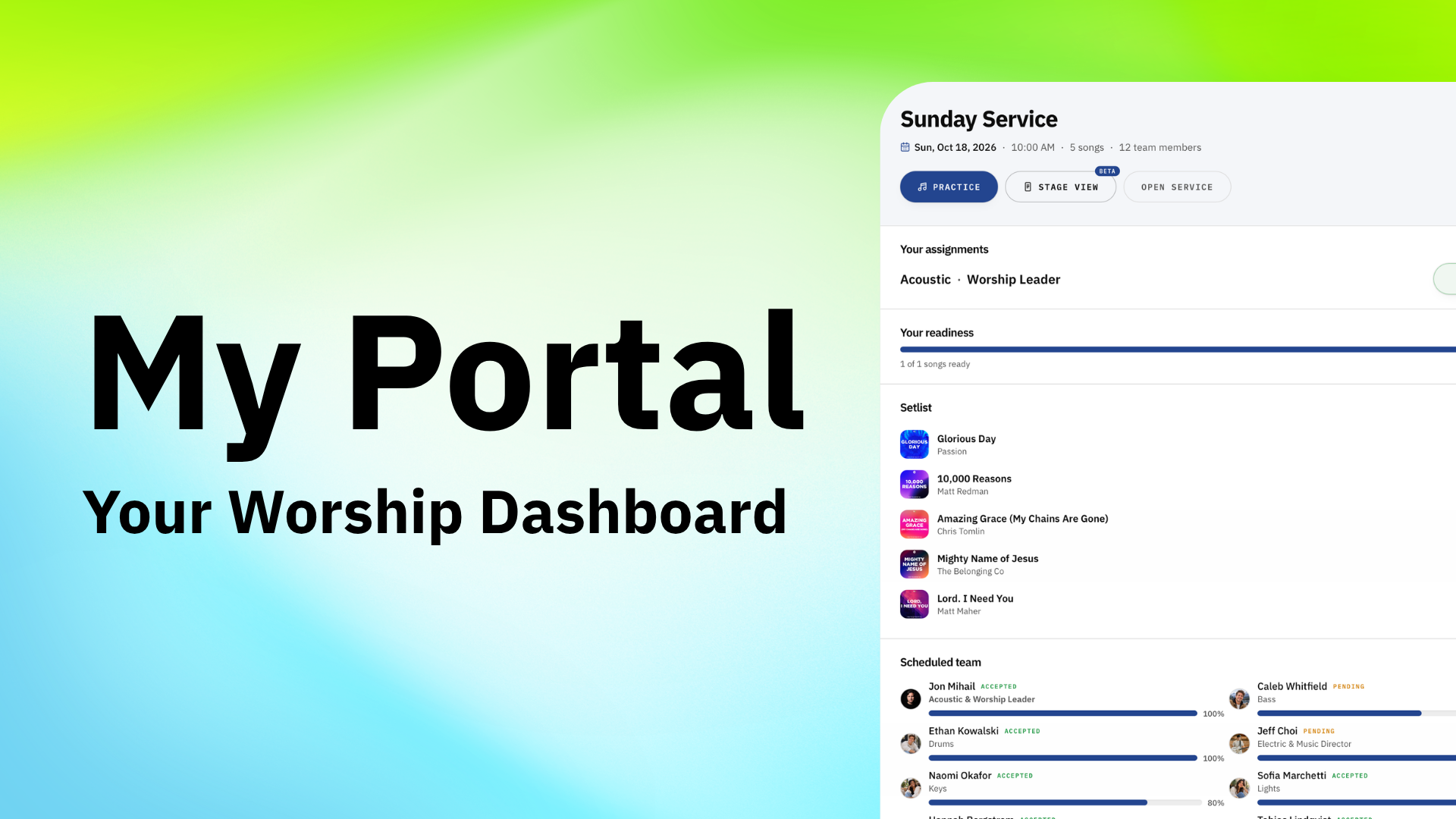
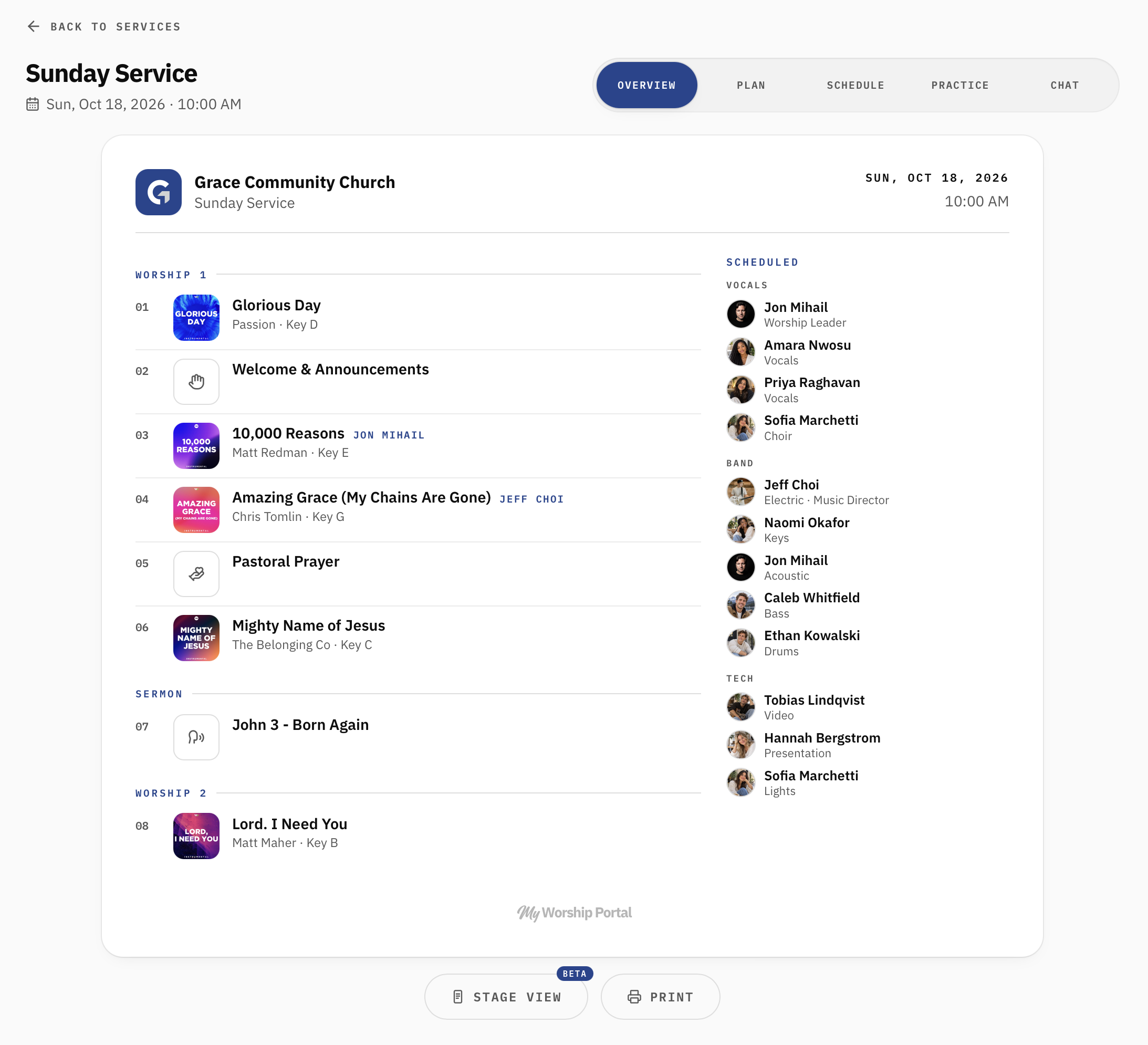
The Overview tab gives you a clear picture of everything planned for your worship service.
Instead of jumping between separate documents and schedules, you can see your service order and scheduled team together.
The service order includes your worship songs, announcements, prayers, sermon, and other elements, organized into sections that reflect the flow of your service.
Alongside the service order, you'll find your scheduled team members grouped by their roles, including vocals, band, and production.
This makes it easy to answer two important questions:
What's happening during the service?
Who's responsible for each part?
You can also access Stage View (Beta) or print the service overview for reference.
2. Plan: Build and Organize Your Service
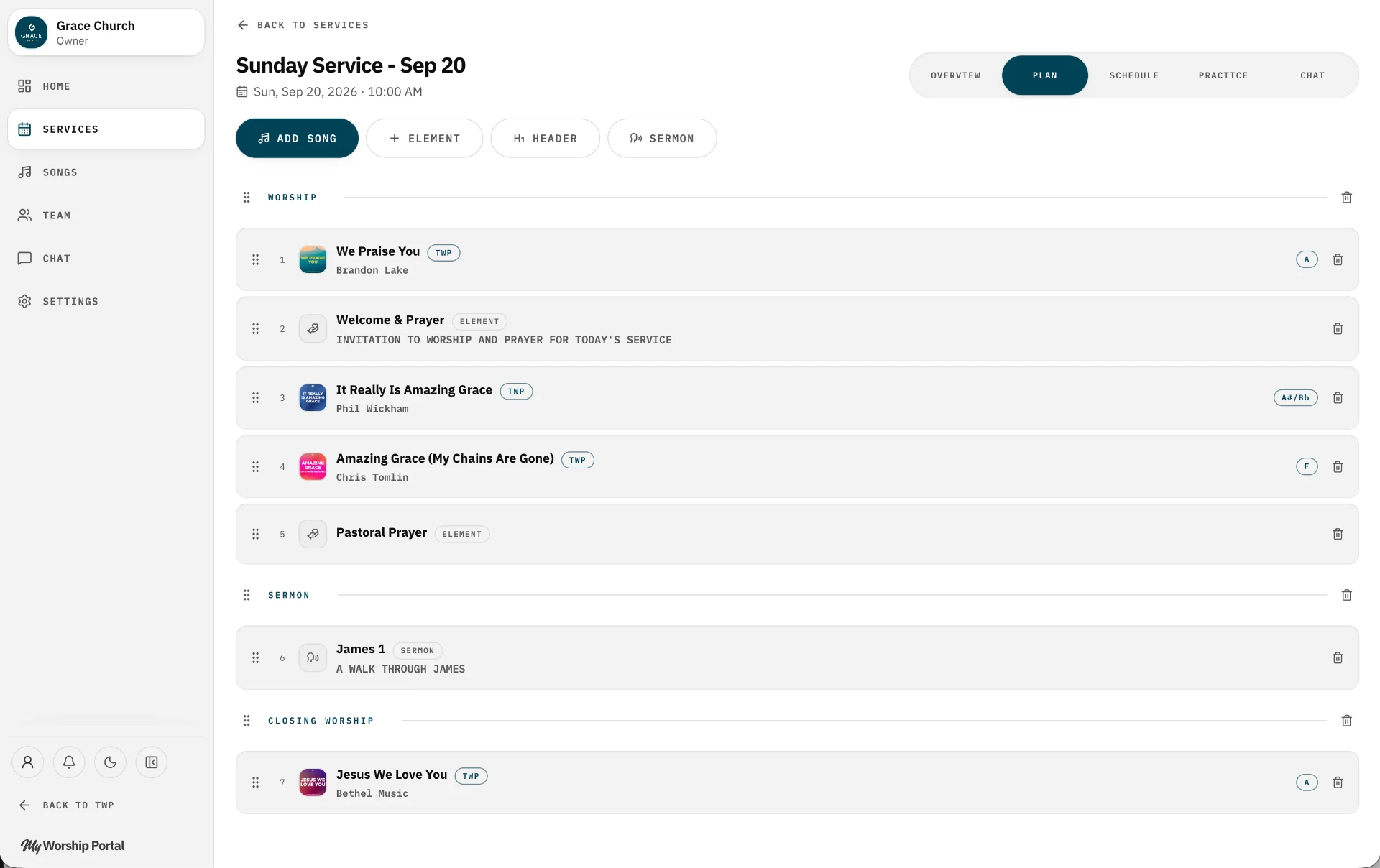
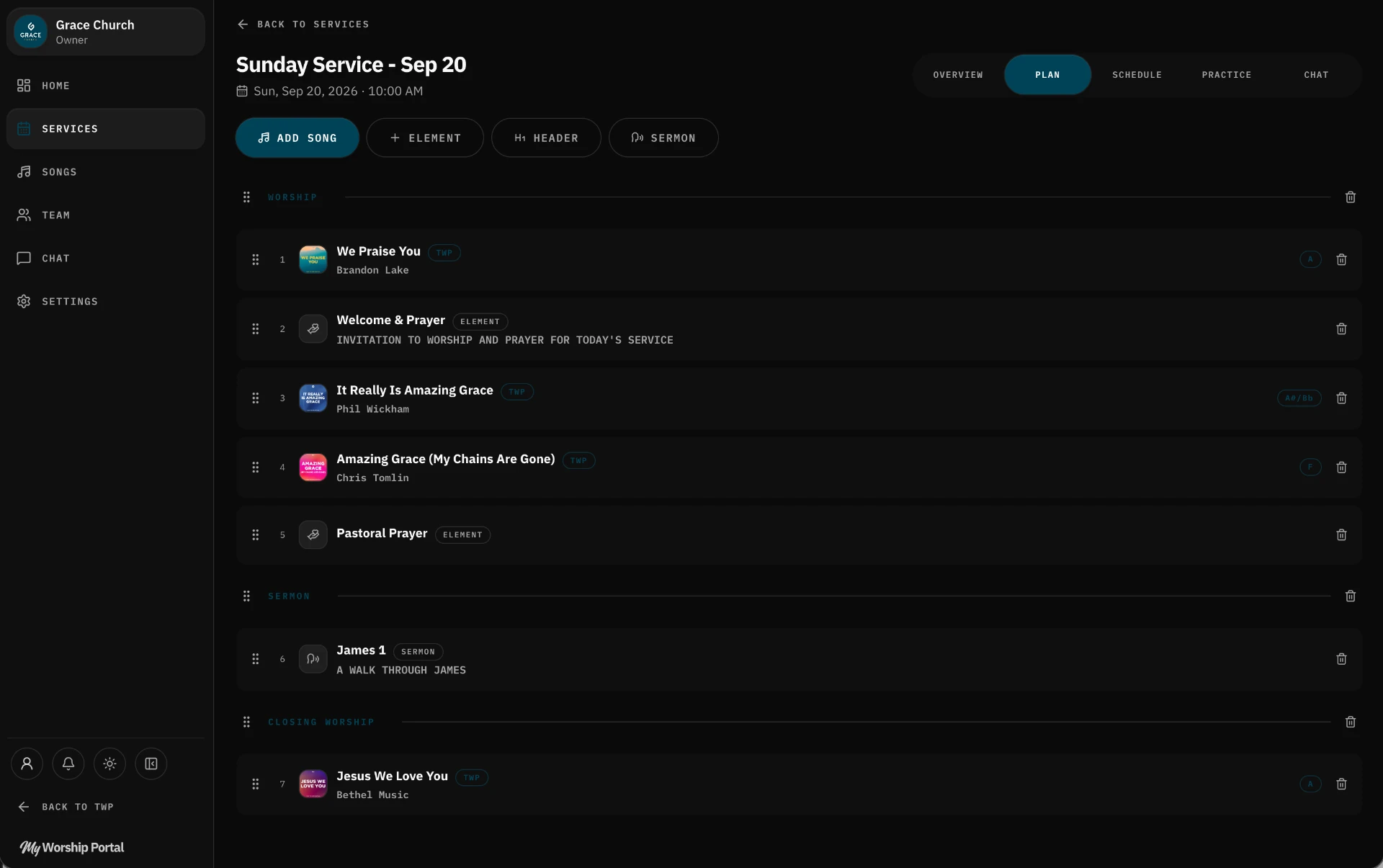
The Plan tab is where your worship service takes shape.
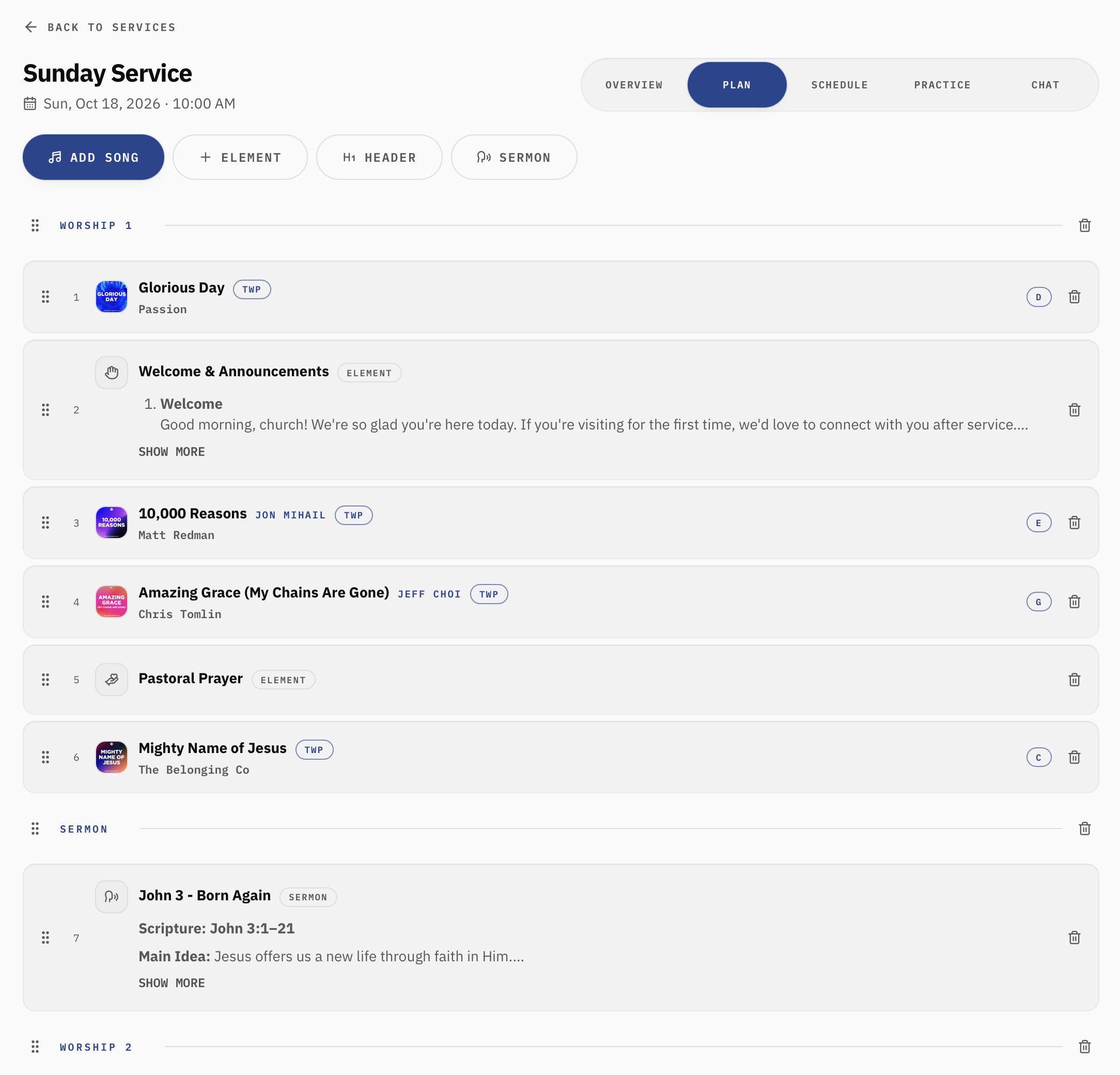
Here, you can create the order of service by adding worship songs and other elements, then arranging them in the order they'll happen.
Add Worship Songs
Select Add Song to include songs from your church's library.
Songs from The Worship Portal are available within My Worship Portal, and your church can also add custom songs to its library.
Each song can have its own key, making it easy to prepare the music for your particular worship team.
Add Service Elements
Not everything in a worship service is a song.
Use Element to add items such as announcements, prayers, welcome moments, or other parts of the service.
You can include notes beneath these elements so your team knows what to expect.
Organize with Headers and Sermons
Use Header to divide your service into meaningful sections, such as Worship 1, Sermon, and Worship 2.
The Sermon option lets you include the message in your service plan, along with details such as scripture and sermon notes.
Rearrange Your Service
Plans change, and that's okay.
You can drag and drop songs, elements, and sections to rearrange your service as needed.
Whether you're adding an opening song, moving announcements, or changing the closing worship set, everything stays organized in one central plan.
3. Schedule: Assign Your Worship Team
Once your service is planned, it's time to make sure everyone knows where they're serving.
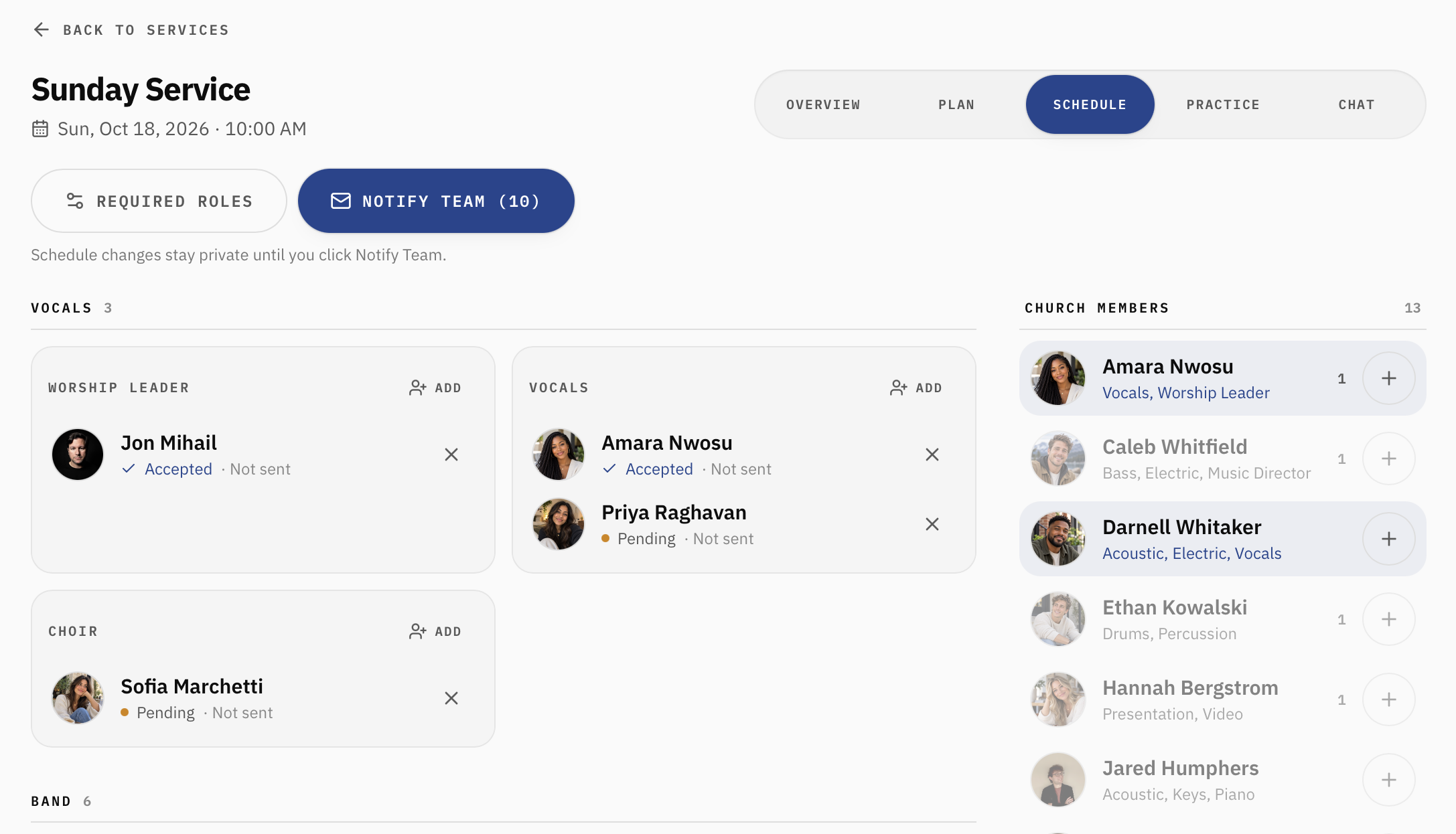
The Schedule tab helps you organize your worship and production teams by role.
You can schedule worship leaders, vocalists, instrumentalists, and technical volunteers, keeping everyone organized in one place.
Assign Team Members to Roles
Roles are grouped into categories such as Vocals, Band, and Tech.
Within each category, you'll find individual positions like Worship Leader, Acoustic, Electric, Keys, Drums, Audio, and Video.
You can assign team members to these positions using the available Add buttons or by dragging members from the church member list into the appropriate role.
Manage Your Required Roles
Select Required Roles to manage the positions needed for your service.
This helps you keep track of the roles you're planning to fill, rather than trying to remember every position on Sunday morning.
Notify Your Team
One particularly helpful feature is that scheduling changes remain private until you're ready to share them.
Once you've finished organizing your team, select Notify Team to send out the assignments.
Team members can then respond to their invitations, allowing you to track who's accepted, who's pending, and where adjustments may be needed.
This gives worship leaders a much clearer picture of their team before the service arrives.
4. Practice: Help Your Team Arrive Prepared
Planning the service is only half the job. Your musicians and vocalists also need time to learn their parts.
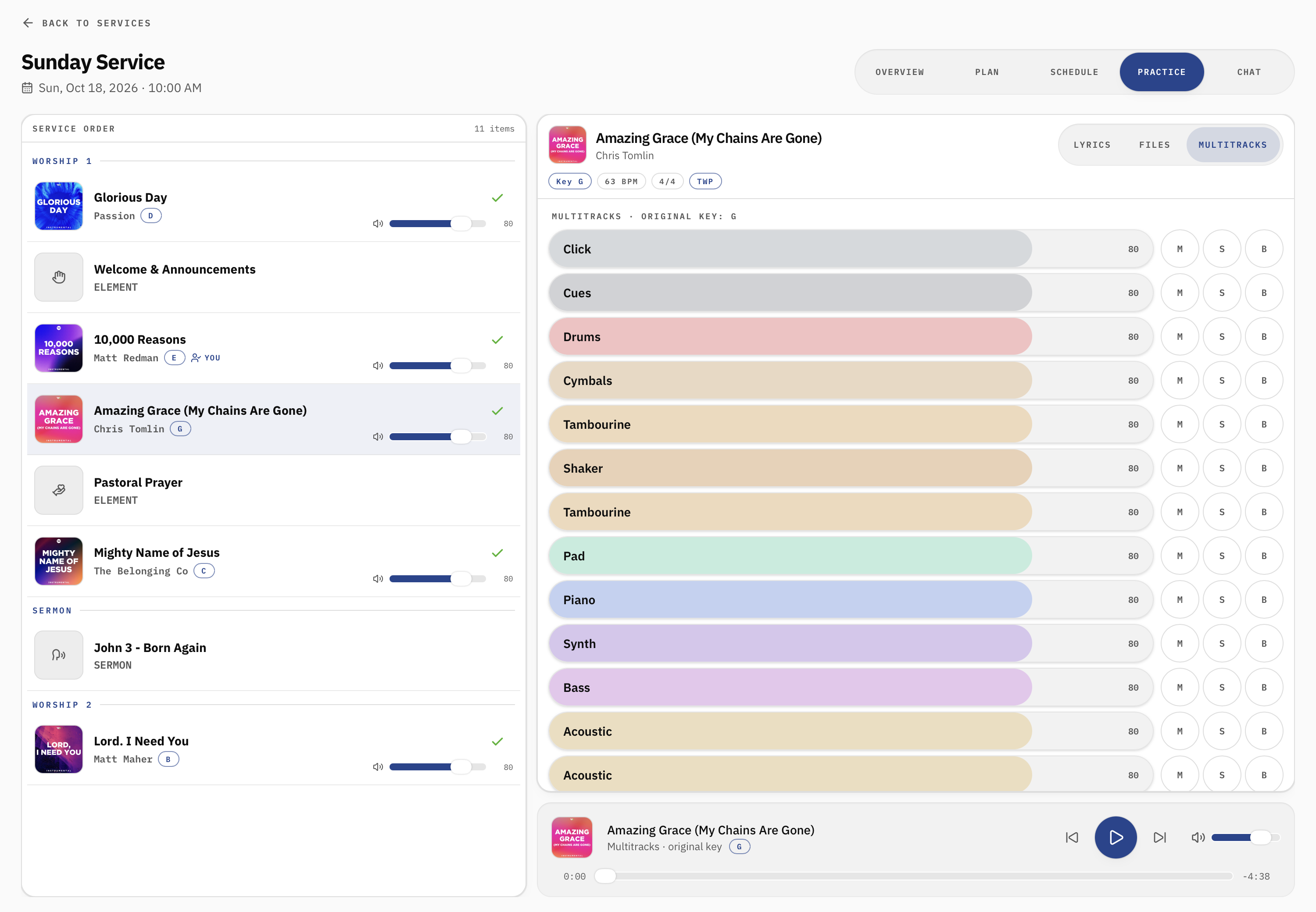
The Practice tab brings the service setlist and practice resources together so team members can prepare without searching through separate messages or files.
Work Through the Setlist
On the left, you'll find the songs and other elements in your service order.
Select a song to open its available practice resources.
This makes it easy to move through the setlist and focus on the songs you're scheduled to play.
Access Lyrics, Files, and Multitracks
Depending on the song and your church's available resources, the practice area includes tabs for:
Lyrics: Follow the song lyrics and structure while practicing.
Files: Access attached song resources, such as charts and other materials.
Multitracks: Practice along with available multitrack recordings.
Songs from The Worship Portal are integrated into My Worship Portal, giving churches access to a growing collection of worship music.
With a paid My Worship Portal plan, teams can also access available TWP multitracks directly inside the application.
Track Your Preparation
The Practice area also helps team members work through their music and indicate their readiness.
This gives worship leaders a better understanding of how prepared the team is before rehearsal or Sunday morning.
Instead of wondering whether everyone has practiced, leaders can identify songs that may need extra attention.
5. Chat: Keep Your Service Communication Together
A great service plan is only useful when everyone knows what's happening.
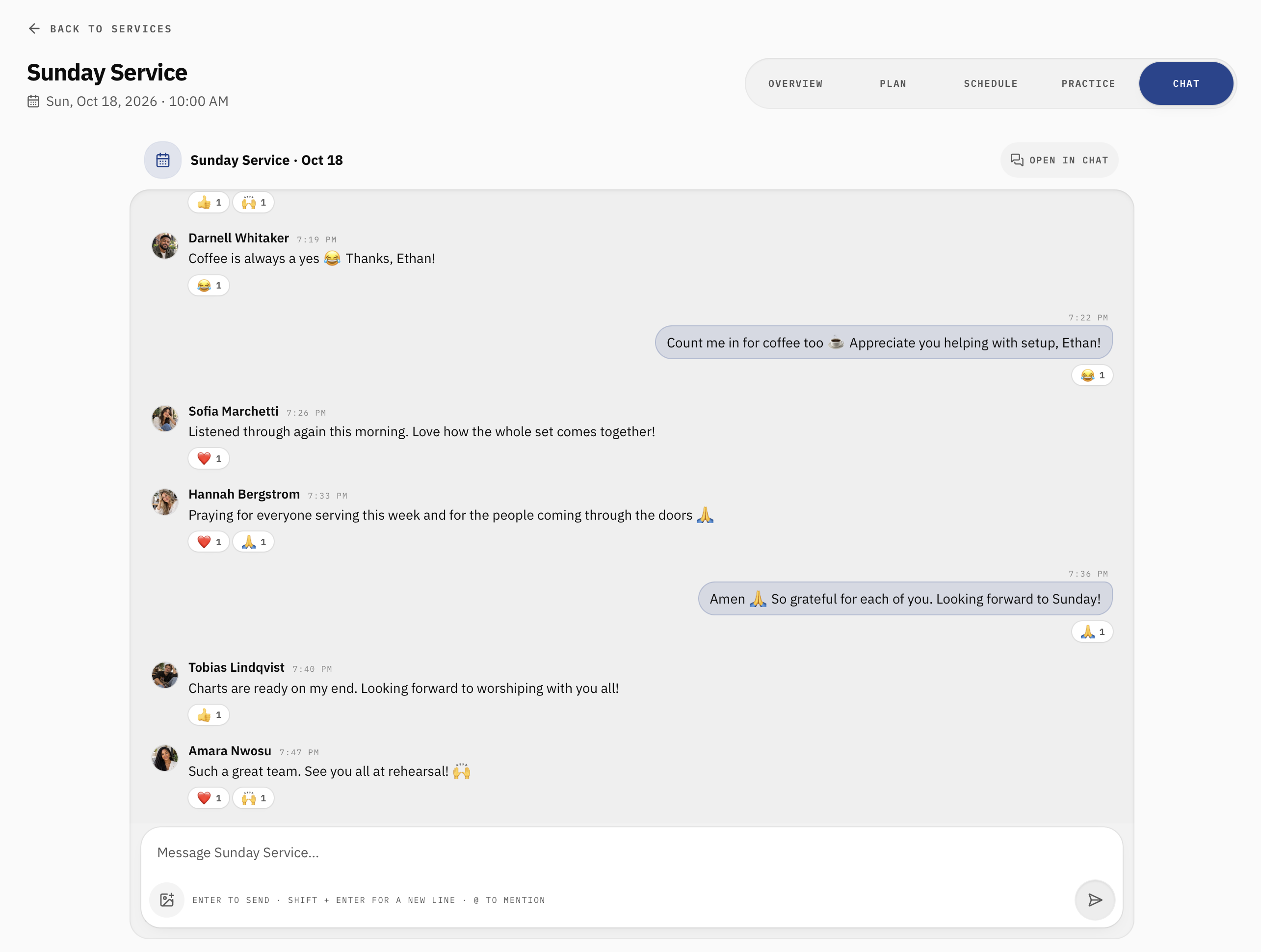
The Chat tab gives your team a dedicated place to communicate about a specific worship service.
Instead of important details getting lost in unrelated group messages, conversations can stay connected to the service they're about.
Use service chat to share rehearsal reminders, ask questions about arrangements, communicate last-minute changes, or clarify details before Sunday.
Because the conversation is connected to the service, team members have a natural place to find the information they need.
You can also open the conversation in the main Chat section of My Worship Portal.
Everything Your Team Needs for Sunday
Preparing for Sunday doesn't have to mean juggling spreadsheets, group texts, printed setlists, and separate music apps.
With Services in My Worship Portal, you can bring the entire planning process together:
From building the service order and scheduling your volunteers to practicing the music and communicating with your team, everything stays connected.
And because each team member can access the information relevant to their role, everyone can focus on what matters most: arriving prepared and serving well.
Ready to plan your next worship service?

About the author
Jon Mihail
Jon is the founder of The Worship Portal and has spent more than a decade serving in worship, creative arts, production, and church communications. He created The Worship Portal to help churches and worship teams simplify the way they prepare, practice, and lead worship through practical resources, tools, and technology.